Showing posts with label security. Show all posts

Sunday, 14 August 2016

Cheap or free roaming? Use AfWall+ together with Roaming Control


A major shortcoming of android is that you need to root your phone or tablet to use a firewall. Once rooted, there are a few firewalls to choose from, but one is way better than the rest: AfWall+ by ukpriya.

It keeps apps off WiFi, mobile data, your LAN, or all of them. Better yet, you can allow apps to go online in your own country, but block 'em when you're in a place where international data roaming costs a fortune.

If your SIM card is from an EU operator, however, european data roaming is not that expensive anymore. If all goes as planned, data roaming charges will be a thing of the past in Europe next year. Yep, the European Union has a billion flaws, but sometimes those money-guzzlers in Brussels manage to do something useful. Of course it helps when a european law cuts down the eurocrat's own phone bills...

With intra-EU data roaming charges knocked down and about to die, the data roaming black- and whitelists of AfWall+ are a bit too blunt. Hopefully a future update will add an EU exclusion option to the roaming rules. Until then, you can roll your own exclusion list with Xposed module Roaming Control.

Even if the general android network settings say that roaming is not allowed, Roaming Control lets your android roam on selected networks and in countries. It also makes AfWall+ think you're not roaming, tricking it into using the same firewall rules as back home.

So if you're roaming all over the EU and associated countries (Iceland, Liechtenstein, and Norway for now), combine AfWall+ and Roaming Control to allow your phone to roam where it's cheap or free without manually switching AfWall+ profiles.

AFWall+ (Google Play Store)
AfWall+ on F-Droid (The F-Droid version is sometimes a bit old)
AFWall+ on xda

Roaming Control in the Xposed repository
Roaming Control on xda

tweet this reddit digg this StumbleUpon digg this digg this

Thursday, 2 October 2014

Xposed modules on my Android phones and tablets (as of October 2, 2014)


Xposed makes your Android yours

Custom ROMs? Nice, but with the Xposed framework you can turn any stock ROM into your own personal custom version. It has countless modules that let you customise just about everything you want to tweak, and more. Of course your phone or tablet needs to be rooted. It also needs Android 4+ (that means Ice Cream Sandwich, Jelly Bean, KitKat, or newer), but there is a version for Android 2.3 (Gingerbread) with limited functionality.

Xposed can do so much that xda gave it its own forum!

The Xposed Installer has a built-in app store full of Xposed modules, but some require a trip to the xda forums. Some modules are in the Google Play Store, but because of the way they interfere with the way Android and its apps work they have a high risk of getting booted out of Google's app store sooner or later.

With so many modules to choose from, some rather silly, many with overlapping functions, choosing the right Xposed modules can take a lot of time, trial, and error. Here's what I picked for my Android gadgets:


Alternate App Picker

Android Jelly Bean came with a few annoying "features," and its app picker is one of them. The old app picker (up to Ice Cream Sandwich) lets you tap the app name, and off it goes. There's a checkbox to remember your choice, but you can leave it unchecked to stay flexible and just launch the app you want with one single tap on the screen.

Enter the new app picker. It makes you tap the app, and then it makes you tap an "just once" or "always" button. Result: what you could do with one tap now takes two.

The alternate app picker module pus the old picker back, and can save you gazillions of taps and eons of your time.

Alternate App Picker on xposed.info


App Settings

This module lets you set a couple of preferences per app instead of system-wide. Screen resolution, fullscreen behaviour, show app when your Android is locked, a way to remove ongoing notifications without killing the entire app, and more.

I use App Settings to run my camera, clock, Here Beta, seNotes, Timers4Me, Google Maps, and some other apps over the lockscreen, and to keep DeSpy Camera out of my recent apps list.

App Settings on xposed.info
App Settings at xda


Disable Clear Defaults Dialog

If you set a default app on a Samsung phone with TouchWiz, it pops up an annoying reminder to tell you that you can clear the default behaviour in the Application manager. Nice to know, but nobody needs to be told over and over again.

This module gets rid of the popup message once and for all.

Disable Clear Defaults Dialog on xposed.info
Disable Clear Defaults Dialog at xda


Disable Google Network Location Consent

Another annoying popup message that believes once is not enough. If you enable Network Location, Google asks for permission to use your location to build its database of cell tower and WiFi router locations.

Of course Google needs to ask, but does it really need to ask the same question over and over again whenever you toggle Network Location back on? My corrupted mind believes that Google did this on purpose to stop you from switching Network Location off when you're not using it.

Until Network Location gets a "don't ask me again" option, this Xposed module does the job that Google didn't do.

Disable Google Network Location Consent on xposed.info
Disable Google Network Location Consent at xda


Downloads2SD

Have a little bit of internal storage and a biiiiiig external microSD card? Android has the annoying habit of trying to cram every download, picture, podcast, ringtone, movie, and song on your tiny internal storage space instead of on your giant memory card.

Downloads2SD tells Android to put your stuff where you want it. Internal or external storage, the choice is yours.

This is especially useful for pictures: if you drop your phone in the pool you can simply pull out your microSD, dry it, and save your shots on any computer without having to wait for the repair shop to revive your drowned phone.

Sending big downloads to your external storage instead of squeezing it into your overflowing internal memory chip is very useful too.

Downloads2SD on xposed.info
Downloads2SD at xda


Force FastScroll

Does your favourite app show loooooong lists without a scroll thumb? The Force FastScroll module lets you drag the scrollbar in apps that don't let you do this themselves.

This saves you a lot of scrolling up and down in WhatsApp, Dood's Music Streamer, Liquid Bear, the SMS app that came with my Samsung phone, the Xposed installer download list, and many other apps.

It doesn't work for every app, and it makes Facebook Messenger, Google Play Music, and a few other apps force-close. The author of the module made a list of incompatible apps. Have a look if Force FastScroll breaks your Android app before you hit the Force FastScroll settings.

Force FastScroll on xposed.info
Force FastScroll at xda
Force FastScroll list of incompatible apps


GoogleOfflineVoice

Google's voice recognition feature can work offline, but it goes online whenever there is a live connection, whether you want it or not. Slow internet, expensive roaming data, Google doesn't care.

GoogleOfflineVoice lets you force it to use offline voice recognition.

GoogleOfflineVoice on xposed.info
GoogleOfflineVoice at xda


Greenify

Android task killers are sometimes useful, but are often abused to the point of slowing down your device and burning up your battery.

Greenify has a better way to tame your apps. It hibernates them after your screen switches off, and wakes them up again when you want to use them. Much better than bluntly killing them!

Greenify in the Google Play Store
Greenify at xda


Message Delivered Toast Notifications

When you send an SMS from your Samsung and it gets delivered to the intended recipients network, Samsung throws a notification on your status bar. That wouldn't be so bad, except that it triggers the same ringtone as if you received a message yourself.

This Xposed module turns the delivery report into a popup ("toast notification" in Android-speak) that doesn't make any unwanted noise. It doesn't shake your phone either.

Message Delivered Toast Notifications on xposed.info
Message Delivered Toast Notifications at xda


Notification Mod

If you lock your Android with a PIN, pattern, or password, you probably can't pull down the notification bar on your lockscreen anymore.

Notification Mod fixes that for you. It lets you choose between notifications, quick settings, or both, and you can have a notification pulldown without the settings button.

If you tap a notification to open an app, you still have to unlock your phone or tablet. But there's a way around that: you can tell the App Settings module which apps can run over your lockscreen sans PIN or password.

Notification Mod on xposed.info
Notification Mod at xda


Per App Hacking

Want to set a proxy server for an app, but not system-wide? Want to feed a fake date and time to an app, for example to make the expired Nokia Here Maps app work again? Want to prevent wake locks so an ill-designed app won't suck your battery dry? Per App Hacking lets you tame your apps!

Per App Hacking on xposed.info


PlayPermissionsExposed

Android's permissions system is a mess that Google refuses to clean up. Dangerous permissions are mixed in with the harmless ones, so you'll never know what hit you if you don't pay attention.

Google "simplified" the permissions list in the Play Store, so now many permissions are completely hidden from you.

Even worse, Google decided not to list the internet access permission anymore, probably because of all the Play Store comments from people who wondered why things like launcher themes and battery widgets need to go online (answer: to show Google ads and let Google Analytics spy on you). That's a downright irresponsible move by Google. If an app can read my contacts list or find out my email address, I definitely want to know if it can go online or not.

PlayPermissionsExposed forces the Play Store to list all permissions that an app asks for, and requires your permission before installing any app with changed permissions.

PlayPermissionsExposed on xposed.info
PlayPermissionsExposed at xda


RootCloak

Just because you rooted your phone doesn't mean you want every app to know about it. For example, many games refuse to run on a rooted Android, or demand root access themselves to check if you don't use root to cheat.

RootCloak lets the apps of your choice apps think your phone or tablet is not rooted. Note that app developers can fight back. Some banking and online tv apps detect root with a method that RootCloak can't stop. RootCloak Plus is better at hiding root access, but it uses Cydia Substrate instead of Xposed.

RootCloak on xposed.info
RootCloak at xda


Samsung Multiple Widgets

Locking up your lockscreen with a PIN, pattern, or password is a good idea if you want to keep the unwanted out of your Android.

Unfortunately Samsung decided to kill your lockscreen widgets if you secure your lockscreen. Want to shoot pictures with your camera? If you set a PIN, Samsung keeps your camera closed. Firing up your web browser without entering your lock screen password? Samsung says no.

The Samsung Multiple Widgets module lets you put widgets on your lockscreen no matter if you set a PIN or not. Your music player, navigation app, or any widget you can cook up in Widgetsoid, it can all go on your locked lockscreen.

Firing up an app from a lockscreen widget only works if you allow that app to run over your lockscreen. Fortunately there's an app Xposed module for that. Samsung Multiple Widgets works great in combination with the App Settings module.

Samsung Multiple Widgets on xposed.info
Samsung Multiple Widgets at xda


SwypeTweaks

Typing Swiping with Swype? Swype is great, but its voice recognition sucks. The SwypeTweaks module forces Swype to use Google's voice recognition instead, which works much better than Swype's built-in Dragon voice recognition.

Works great in combination with the GoogleOfflineVoice module!

SwypeTweaks on xposed.info
SwypeTweaks at xda


Wanam Xposed

This is the Samsung-centric version of Wanam Kit.

Wanam Xposed does lots of things. You can tweak your notifications panel in many ways, hide unwanted items from your lockscreen, kill the camera shutter sound and other unwanted noise, change the looks and colors of your staus bar icons, notification panel, quick settings notification widget, restore read/write access to your external microSD card in KitKat (why did Google have to kill this?), and much more.

Some things I tweaked with Wanam:

- Killed the airplane mode and bluetooth scan dialogs.
- Made the volume panel auto-expand (show all volume sliders) upon hitting the volume button.
- Silenced the camera, disabled the boot and low battery sounds, and killed those annoying volume button beeps.
- Enabled my camera to shoot pictures during a call.
- Told my home button (yes, Samsungs still have one) not to wake up my phone.
- Long-pressing the back button kills stuck apps, but I told it to ignore some apps that I don't want to kill by accident.
- Made my status bar icons blue again, because I don't like them in white.

Wanam has ads, but you can use Wanam to switch them off. Yay!

Wanam Xposed on xposed.info
Wanam Xposed at xda
Wanam Xposed in the Google Play Store


XBlast Tools

The XBlast module duplicates many of Wanam's features (see above), but it does some things that Wanam doesn't do, and vice versa.

Some of my XBlast tweaks:

- No gaps between quick settings tiles.
- Stop sending system usage data to Google.
- Enabled all display rotation angles, including upside down.
- Advanced power-off menu, with buttons to boot into recovery mode, and a screenshot button.
- Switched off the low battery warning, which always pops up when you're busy doing something else.
- Removed restrictions on bluetooth file types; now I can send and receive everything.

XBlast can do a lot more, but I already did those things with Wanam.

XBlast Tools on xposed.info
XBlast Tools at xda


XPrivacy

LBE Privacy Guard is dead. It stopped working since Android Jelly Bean, and its successor is only available in chinese (unless you let Xposed translate it for you with one of the LBE translation modules). Even if you can run LBE, it uses a lot of resources and doesn't give you fine-grained control over what your apps can do.

XPrivacy does much more. It lets you control just about every Android permission your apps ask for, and it has close to zero impact on the performance of your device. If your Android is old, don't worry, because there is a version for Gingerbread too.

This powerhouse of an app lets you allow, deny, or spoof access to your accounts, location, contacts, messages, MAC address, Android ID, calendar, and many other private bits of information.

Don't want an app to receive push notifications, access your microphone or camera, or check which other apps are running? XPrivacy has a switch for all of those, and more.

Xprivacy can keep apps offline too, but a real firewall like AFWall+ gives you many more options. For everything else, give it a shot.

XPrivacy on xposed.info
XPrivacy at xda
XPrivacy in the Google Play Store


Get it

There are many more Xposed modules. Go grab the Xposed installer and play around!

Xposed framework
Xposed modules at xposed.info
Xposed at xda
Xposed for Gingerbread at xda

• The competition:

Cydia Substrate in the Google Play Store
cydiasubstrate.com

tweet this reddit digg this StumbleUpon digg this digg this

Tuesday, 3 June 2014

Play Store hides internet permissions: what was Google smoking?


The Google Play Store changed a bit last week. Not just the app, but the mobile website too. Some of these changes are good, some are incredibly stupid. Whoever is responsible for "simplifying" the app permissions should be forced to eat a dozen iPhones.

Play Store mobile website

Opening the Play Store in your mobile web browser used to be horrible. You'd get the desktop layout, an overload of crazy scripts slowed things down to a Nokia N95 on GPRS (that's the old mobile version of a dialup modem), and every tap would spawn a popup with most of the information out of sight beyond the edge of the screen.

But now the Play Store website has a real mobile version. It's still clumsy and slow, but at least you can see most of the information without scrolling your thumbs to pieces.

But why would anyone care about a mobile site if you've got the Play Store app on your Android already? There are two good reasons:

1) Sometimes the Play Store app spits out an inexplicable error with a cryptic number. Installing the app from the mobile website usually fixes things.
2) The website makes it easy to install or update apps on different Android phones and tablets, without having to open the Play Store app on each of your devices.

Some info in plain sight

When the Play Store app started to show whether an app had "in-app purchases," it did so where the app update date used to be. Wanted to find out when the app was updated? You had to expand the description and scroll all the way down to find out. Some app store descriptions are really long. Twenty testimonials followed by thirty competing app names and fifty spammy keywords means a lot of scrolling to get to the info you want.

The new Play Store puts version number, update date, app size, and a link to the app permissions together at the bottom of the screen without need to expand the entire app description. That makes it a lot easier to see if the update is really new, and not an old update that you skipped because it broke the app.

Permissions? Just bend over and spread 'em!

When you hit "install" or "update," the Play Store pops a list of app permissions in your face. If you know what's good for you, you read them. If you've traded your brain for a free McJunk Happy Meal, you click "I agree" on everything and pay the price.

Most people take the Happy Meal, and Google likes it that way.

The new simplified app permissions screen looks like a good idea at first glance. But when you try to expand the permissions you don't get the full list. Instead, you get a heavily dumbed down version that doesn't tell you anything useful.

For example, when you expand "Location" the extra info reads: "uses the device's location." Duh! Does it use network location, GPS, or both? When you expand "Identity" you get the similarly useless "uses one or more of: accounts on the device, profile data." What's that supposed to mean? Can an app with access to "profile data" read my phone number and email address, yes or no?

It gets worse! When you allow an app to auto-update, it used to ask you if you'd accept any new permissions. But not anymore. If the new permissions are in the same "permissions group" as a previously granted permission, Google assumes that you'll accept any new permission from that group. It won't even tell you about those new permissions. If an app was allowed to read your texts, an update can grab permission to send them too without your knowledge. If you allowed an app to get your rather course network location, a new permission that lets the app drain your battery to pinpoint you by GPS is granted automatically without notice. Yes, that's creepy indeed.

And the internet permission is missing!

Google believes you don't need to know about internet permissions

According to Google:

"These days, apps typically access the internet, so network communication permissions including the "full internet access" permission have been moved out of the primary permissions screen."

Whoever is responsible for that deserves a slow and painful death. Really.

When I install an app that can read my contacts list I definitely want to know if it has internet permission, because the combination of access to contacts and internet can bomb you and everyone in your contacts list with unstoppable spam.

When I install an app that encrypts my passwords and credit card number, I definitely don't want that app to have internet access.

There are plenty of other reasons why "network communication permissions" are the most important on the list. Any app that can go online should have that permission displayed in big bold type on top of the permissions list!

Of course Google doesn't want that. "These days, apps typically access the internet" indeed, and often for the sole purpose of downloading ads and sending data to Google Analytics. Collecting data for online advertising and throwing banner ads on your phone or tablet is the reason why Google made Android, so obviously they'd rather not have you wondering why an icon pack or a battery widget wants to go online. Just buy the Happy Meal. No need to ask questions, Big Google knows what's good for you.

You can still see whether an app grabs internet permissions or not, but now you have to scroll to the bottom of the Play Store listing, tap "view details" under the permissions header, and look for your reading glasses. The "full network access" permission is hidden in tiny small light grey print under the heading "Other," as if the most important permission of them all is not important at all.

Grab back the keys

The Android permissions system is a broken mess. If you don't want to say "OK Google" to anything but voice search, you have to wrestle the keys back into your own hands. Here's how:

XPrivacy, Android's most comprehensive permissions manager

AFWall+, the best firewall for Android

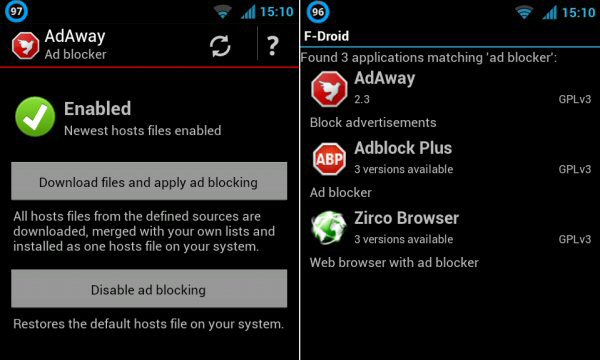
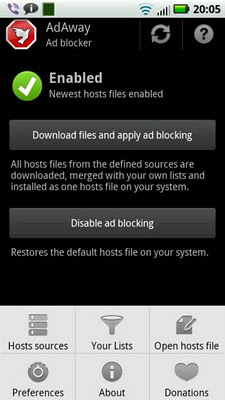
AdAway and other Android ad blockers

Why Google should make its own ad blocker
Addons Detector exposes spyware and adware

Stop Google, Facebook, and other Big Brothers from tracking everything you do on your Android

Dump the Happy Meal. Root your phones and tablets and pick your Android permissions à la carte.


tweet this reddit digg this StumbleUpon digg this digg this

Saturday, 15 March 2014

WhatsApp or Android, who's to blame for appgate?


Hang 'em high!

Scandal! Stop the presses! Any app on your Android phone can steal all your WhatsApp messages from your SD card. Facebook didn't have to waste 19 billion dollars to read your chats. They could just have made the Facebook app grab your WhatsApps off your card. Someone's gotta get fired over this, right?

But who?

Let's blame WhatsApp

WhatsApp stores its message database and nightly backups thereof in plain sight on your memory card, no matter if your memory is built-in or added on a microSD card. That's great if you want to mix'n'match your WhatsApps and SMSs with apps like Backup Text for WhatsApp and SMS to Text, but not so great if you want to keep nosy apps out of your texts. Anything with SD card access can read along.

WhatsApp could easily have prevented this by encrypting your messages. They gave it a shot after the shit hit the fan, but so far without success. That's because WhatsApp used the same key to encrypt all messages from everyone. Yep, that's almost impossible to believe, but they really used a skeleton key to lock up your private chats.

So here's what WhatsApp should do: use a proper full-blown encryption method to protect the database that holds your messages. While they're playing with encryption anyway, full end-to-end encryption to keep Facebook and the NSA out of our chats would be most welcome too.

Of course WhatsApp should provide a method to let other apps into your messages if you allow them to. I don't want to lose Backup Text for WhatsApp and SMS to Text, and the long overdue multi-network app that includes WhatsApp needs access to your WhatsApps too. To cut a long story short: WhatsApp should encrypt its database and let us decide for ourselves who gets the keys and who does not.

Let's blame Android

Android treats your memory card the same way your computer treats your hard drive. Apart from a tiny bit of protected storage (that mysterious ".android_secure" folder that tops the list in your file browser) anything on your card can be read, altered, deleted, stolen, smeared, raped, and tinkered with by any app that has the "storage" Android permission. Most apps have that permission, so anything on your memory card that is not encrypted is up for grabs. That includes all those naked selfies that you shot after emptying the final bottle.

But what about sandboxing? That works for the app-specific internal storage that you can only get at if you root your phone. It doesn't work for the storage that you can see on your computer when you hook it up with your phone's USB cable. If you give an app access to your memory card, it gets access to all of your memory card, including your private collection of wildlife movies.

But that's changing.

Let's blame Google

Recent editions of Android lock down your memory card, because Google hates microSD. They'd rather have you store all your data in their cloud services so their advertisers can take a peek. Starting with Android 4.4, apps can only read the "public" parts of your SD card, and they can't write anything outside their tiny little sandboxed piece of storage space.

That's good for privacy reaspons, and bad for other reasons.

The good news is that this could prevent future WhatsAppgates. The bad news is that it will break a lot of useful things too. Save your email attachments with your mail app and edit them with another app? Forget it. Delete a picture from an alternative gallery app like QuickPic? Forget it. Zap old Nandroid backups with ES File Explorer? Forget it. The sledgehammer approach to SD card security is a disaster for cross-app access to files and folders.

Now what?

Locking down your external storage is a bad idea. It breaks too much, and forces us to move our data to the cramped and expensive built-in storage, or send it to the cloud and burn up our data and battery for no good reason.

Keeping everything wide open is a bad idea, because I don't want Obama snooping around in my WhatsApps.

Solution? Fix the broken Android permission system so we can decide for ourselves what app can access what. The "external storage" permission should be split into two permissions: "access to folders created by my app" and "access to the rest of the memory card." Anything that's too sensitive for the second permission should be encrypted by the app that made it, and then the user should decide who gets the keys.

Until then, lets hope an Xposed module will fix what Android 4.4 broke.

Update: the Xposed module to fix external SD cards on KitKat is ready. It's called HandleExternalStorage. Grab your copy from the Xposed installer.

tweet this reddit digg this StumbleUpon digg this digg this

Sunday, 9 February 2014

Carrier IQ has to die: tell your Android phone and tablet manufacturers that you don't want their spyware


Remember the Carrier IQ scandal? Quick memory refresher: Carrier IQ is a rootkit (something really bad, worse than a virus) that spies on you, and sends lots of stuff to the computers at Carrier IQ HQ that you'd rather keep for yourself. Your location, the websites you visit, who you call and text, that sort of stuff. It infects many Android phones, and was found on iPhones too.

Carrier IQ forwards your private data to phone manufacturers and carriers without asking you first, and without letting you opt out.

For example, Carrier IQ can tell your carrier which websites you surf to, even if you use WiFi to avoid your carriers data network.

When Carrier IQ was caught with their pants down they denied everything, fired legal threats at the man who exposed their crimes (Trevor Eckhart, the Ed Snowden of Android), and only backed down when they found the whole world against them.

But Carrier IQ didn't die. It still pollutes our gadgets, even if you buy an unbranded phone or tablet to avoid the bloatware slapped on by your carrier.

When I went into the shortcut menu of my Samsung Galaxy S4 mini I found the entries highlighted in the screenshot above. Four pointers to Carrier IQ junk, and no way to remove them because they are integrated into essential system processes in the same way the AIDS virus puts its genes into your DNA.

Most apps meant to detect Carrier IQ were unable to find the infection, but after testing a few apps from the Play Store I hit Disable Carrier IQ Mod by Pavel Valenta. This app found Carrier IQ, but was unable to do anything about it. Of course I could get rid of it by switching to a custom ROM like CyanogenMod, but to date the custom ROMs for my phone have too many bugs to dump the stock ROM.

Maybe Carrier IQ on my Samsung is dormant, waiting for a trigger. Maybe it is sending all sorts of stuff home to its makers. Either way, I don't want any junk from Carrier IQ on my phone, so I'll keep looking for a way to get rid of it. Meanwhile, I told Samsung that if they won't let me remove Carrier IQ from my Android my next phone will not be a Samsung. If all of you speak out they might get the message. Samsung is not the only one who puts the Carrier IQ spyware on its gadgets, so if you find Carrier IQ on your non-Samsung Android or other device, tell its manufacturer that they'll lose a customer if they don't clean up their act.

CIQ discussion on xda (warning: full of geekspeak and raw code)
The Rootkit Of All Evil: CIQ (xda on CIQ in non-geekspeak)
Carrier IQ on Samsung Galaxy S4 mini (xda thread)
Disable Carrier IQ Mod by Pavel Valenta (detected Carrier IQ on my phone, but couldn't do anything against it)\

tweet this reddit digg this StumbleUpon digg this digg this

Monday, 17 June 2013

Why Google should make its own ad blocker


All or none

Don't like ads on your Android? If you rooted your gadget you can keep almost every ad away with AdAway or AdFree. Not rooted? AdBlock Plus will keep a lot of annoying ads away.

But what if you want to allow a few ads in the small number of apps that deserve a few pennies from their banners?

AdAway and AdFree work like sledgehammers. They block ad servers by telling your Android hosts file to send ad requests to hell. Unfortunately they won't let you whitelist any apps or sites, so if you tell it to block those annoying Google ads it will block all of them.

And they block 'em forever. If you want to run an app ad-free for a while to decide if you want to keep it, then allow its ads if you think the app is worth it, you can't.

Fighting the spamware from the Play Store

The Google Play Store has about a million apps in it, and most of 'em are crap. There are a few hundred thousand apps out there that exist for the sole purpose of spamming your phone or tablet with ads without giving you anything useful in return. Sure, you can uninstall the junk as soon as you find out you've been cheated into downloading it, but sometimes it's too late and the spammer already got paid.

Because an increasing number of apps dump spammy icons on your homescreen, add some crappy links to your browser bookmarks, and even try to change your browser homepage to send you to a website nobody with half a working brain cell would ever choose to visit. And that spamware pays as soon as it's installed, which encourages rogue developers to flood the Play Store with even more junk apps just to make a quick few pennies in the thirty seconds between installing and removing the spamware.
Worse yet, when you uninstall theoffending app that doesn't remove its spam. The homescreen links, crap shortcuts, and junk homepage stay behind for you to clean up.

A job for Google

How to kick the crap out of the Play Store? A good start would be some Googlecode that prevents apps from the Play Store from showing ads within the first hour or so. This way the spamware can't rake in undeserved money in the few minutes it takes you to find out you've been tricked into downloading app spam, and only apps that are good enough to keep make money from ads.

Along the same lines, Google could stop apps from sending out your IMEI, phone number, address book, email, and other sensitive data until the app has proven worthy by staying on your device for more than an hour. Fixing the broken Android permissions system would help a lot as well. For starters, Google could split the "phone state and identity" permission into "phone state" (mostly harmless) and "phone identity" (widely abused by thousands of apps).

Quarantining ads and data to keep the money away from the spammers and scammers would dramatically improve the quality of the apps on offer in Google's app store. It would also increase the reputation of ad-supported apps, and push less people into installing ad blockers. By making an ad blocker of its own, Google could increase the value of the ads that remain. It would be much better than Google's current attempt to keep ad blockers out of its shop.

One more thing that Google should do: require that each and every app in the Play Store discloses that it has ads and where they come from before you install them, and kick out apps that fail to be up-front about their ads. Or maybe Google shouldn't. If an app doesn't tell you it has any ads in it, you don't have to feel guilty about blocking them ;)

Just say no to bad ads

Have some apps on your phone or tablet that take their advertising too far? If they don't need internet access to do their job, firewalling them offline ensures that they can't download stuff that you'd rather keep out. It also ensures that they can't steal your phone number or other data that you want to keep to yourself. Ad servers that load blinking gif animations, try to push malware to your device, or abuse Flash or HTML5 to send you ads that make noise are easily blocked with AdAway (my favourite ad blocker) or AdFree.

AFWall+ (excellent firewall)

AdAway, AdFree, and AdBlock Plus

Addons Detector (tells you which ads are in which apps, because the dev often doesn't)


tweet this reddit digg this StumbleUpon digg this digg this

Saturday, 20 April 2013

Stop Google, Facebook, and other Big Brothers from tracking everything you do on your Android gadget


Big Brother is watching you. For real.

Your supermarket doesn't need to know that you watch online porn, your bank doesn't need to know who you vote for, and your health insurance doesn't need to know what you smoked during that stag party in Amsterdam last weekend. So why should Google know what you see on CNN.com, and why should Facebook know what you read on android underground? And how can you stop them from following you around wherever you go?

Let's assume you avoided Google and found this site through Yahoo or Bing instead. And then you clicked through to the xda forums (a great Android forum, make sure you have a look). God doesn't have a clue what you did, but Google knows where you were and how you got there. There are two reasons why Google knows more than God: Google exists and Google has cookies.

And that's why your screen fills up with ads for Android stuff.

Even if you don't use Gmail and tell your browser to block "third party cookies," Google still tracks you. They don't need cookies for that. They just send out tiny invisible images ("web beacons" in Googlespeak). When those things hit your computer Google knows your IP address, among other things. And you probably watch a YouTube clip or two. That's Google too. This blog is hosted on blogspot, bought by Google ten years ago. And both xda and android underground have ads from Google. So does eBay. And a hundred million other sites. If you block Google's ads they still stalk you with Google Analytics, which is used by countless sites to generate visitor stats.

Facebook knows when you visit sites like xda, because their "Like" button is served straight from Facebooks own servers. I can't stop Google from seeing you here (because this blog is hosted on their servers), but Facebook and Twitter don't see you on my site unless you click the "share" and "tweet" buttons yourself. Same goes for Digg and Reddit. Their buttons down below don't come from their own servers, so if you don't click digg or reddit they'll never know you were here.

But just about every site you visit has Google ads, Google Analytics, a +1 button, and buttons to like and share and digg and tweet. Most sites load 'em straight from the source, which makes it pretty hard to stop the big brothers from watching you. Even tinfoil hats won't help. But you can still keep a lot of your web history private. Not only on your computer, but on your Android phone or tablet too.

Why not let the advertisers play and have it their way? Allowing advertisers to build a detailed profile of you may sound innocent, and you get free apps and websites in return, right? But does your crystal ball rule out scenarios like the one painted by DuckDuckGo?

The big internet phone book and its little brother

AdBlock can keep most ads out of Firefox and Chrome, but what about your other web browsers? And your email, feed reader, games, and apps?

Enter the hosts file. This text file counts the days in the dungeons of your Windows system folder, and you can tell it to keep uninvited visitors out of your computer.

How does this work? Whenever your computer stumbles upon URLs like google.com or obnoxious.adspammer.net it has to look up an IP address. Think of the URL as the name, and the IP address as its phone number. Your computer asks a DNS server to match the name to the IP address. Those DNS servers are really big phonebooks for websites and all other internet content. When the DNS server hands over the IP address, your computer dials it to pull in the ads, cookies, Tweet buttons, and whatnot...

...unless the domain name is written in your hosts file. Then your computer skips the DNS lookup and calls the IP address from your own little phonebook instead.

And guess what? Windows isn't the only operating system with a hosts file. Your Android gadget has one too. And you can use it to stop Facebook and Google from tracking every step you take.

Your hosts file as a bouncer

If your hosts file has an IP address for a website, your Windows computer dials the IP from your hosts file and waits for the other end to pick up.

But you can make sure the other end never picks up. Just make sure that any unwanted domain name is tied to a fake phone number and you're done. That's how the hosts file keeps the unwanted out, and that's how you can stop Facebook and Google Analytics and Twitter from following you around.

For example, my Windows hosts file has a lot of entries like this one:
127.0.0.1     pagead2.googlesyndication.com
This tiny little line tells my computers, phones, and tablets to ask Google for their annoying Adsense banners by calling 127.0.0.1. Guess what? That's not Google's IP address! It's the"loopback" address of my own computer, and it's the loopback address of your computer too. And your Android phone, and your Android tablet.

When your device asks 127.0.0.1 for ads or tracking cookies it never gets them, because you're smart enough not to run a webserver full of Google ads on your own hardware. You're not hosting any Facebook Like buttons either. So your computer just answers with "nothing to see here, keep moving" and that's exactly what your web browser, app, or game does. No ad banner, no share button, just some empty space. Smart web browsers won't even show the empty space, they just display the useful content as if the ad was never there.

Your Windows hosts file sits in "C:\windows\system32\drivers\etc\hosts" if you've installed Windows on drive letter C. The hosts file doesn't have an extension, so Windows won't know what to do if you doubleclick it. But make a shortcut to %windir%\notepad.exe %windir%\system32\drivers\etc\hosts and your hosts file opens in your text editor whenever you click it. Copy/paste one of the many blocklists that are floating around on the web into your hosts file and most bannerfarms will no longer pollute your computer with their ads. Their tracking cookies won't make it to your computer either.

Your Android hosts file lives in /system/etc/hosts (sometimes in /data/data/hosts). If you have root access you can open it in text editors like Jota and fill it with all the sites you want to keep away. But there's no need to fight with your hosts file in a text editor. There's an app for that.

Lock out Facebook

Many "Like" buttons are pulled in straight from facebook.com. If you block that domain you'll lock yourself out of your own Facebook account, right?

Wrong.

If you block facebook.com most "Like" buttons will stay away from you, but you can still go to www.facebook.com to post pictures of your cat and read what your friends are drinking. Those three letters make a world of difference as far as your hosts file is concerned. Don't forget to block ads.facebook.com, ads.ak.facebook.com, and creative.ak.facebook.com too.

You don't need to feel sorry for those hungry employees at Facebook HQ. When you visit www.facebook.com you'll still see their ads over there, so they'll get something out of your visit. Not as much as they would like, but you don't need to maximise their profits. They can still make money when you visit their site without following you around all over the web. If you don't have a Facebook account they won't even know that you exist. And that's how it should be, because why should Facebook collect your private data if you don't use their services?

Lock out Google

Taming the unwanted bits of Google is a bit harder, because they attack from many different hangouts.

If you don't want to see Google ads on sites other than Google.com or Gmail, start by feeding this list into your hosts file:
127.0.0.1    googleads.g.doubleclick.net
127.0.0.1    googleads2.g.doubleclick.net
127.0.0.1    googleads.g.doubleclick.net
127.0.0.1    googleads2.g.doubleclick.net
127.0.0.1    googlesyndication.com
127.0.0.1    www.googlesyndication.com
127.0.0.1    pagead.googlesyndication.com
127.0.0.1    pagead1.googlesyndication.com
127.0.0.1    pagead2.googlesyndication.com
127.0.0.1    domains.googlesyndication.com
127.0.0.1    tcp.googlesyndication.com
127.0.0.1    googleadservices.com
127.0.0.1    www.googleadservices.com
127.0.0.1    partner.googleadservices.com
127.0.0.1    pagead2.googleadservices.com
127.0.0.1    partnerad.l.google.com
127.0.0.1    4.afs.googleadservices.com
Restart your browser, reload this site, and see android underground without Google ads. No problem, you're still welcome here. I don't make this site for the money (and those ads don't pay much anyway). Surf a few other sites and notice they have way less advertising than before. The pagead2.googlesyndication.com line is the most important of the blacklist, because it houses almost all Google ad banners that pop up in your web browser.

Want an ad-free YouTube?
127.0.0.1    ads.youtube.com
Ads in your Android apps? Sure, their developers need to pay the rent too, but there are other ways to make money. They could sell a version of their app with more features than its free cousin, or throw in a PayPal donate button. If you're a small developer without millions of downloads a donate link probably pays more than the ad banners. To keep AdMob (the mobile version of Adsense) out of your Android:
127.0.0.1    admob.com
127.0.0.1    a.admob.com
127.0.0.1    analytics.admob.com
127.0.0.1    c.admob.com
127.0.0.1    jp.admob.com
127.0.0.1    media.admob.com
127.0.0.1    mm.admob.com
127.0.0.1    mmv.admob.com
127.0.0.1    mm1.vip.sc1.admob.com
127.0.0.1    p.admob.com
127.0.0.1    r.admob.com
By keeping AdMob banners out of your apps they can't beam your location to the mothership. Whoever thought it was a good idea to poll your GPS location to tell advertisers exactly where you are deserves a weekend in the scorpion pit.

Websites may have good reasons to know a little bit about their audience, but why should they tell Google about your visit? If you don't want Google looking over your shoulder when you read your online newspaper, smile at your hosts file and ask it to block:
127.0.0.1    video-stats.video.google.com
127.0.0.1    google-analytics.com
127.0.0.1    analytics-api-samples.googlecode.com
127.0.0.1    wintricksbanner.googlepages.com
127.0.0.1    www.google-analytics.com
127.0.0.1    www-google-analytics.l.google.com
127.0.0.1    ssl.google-analytics.com
127.0.0.1    googletagservices.com
127.0.0.1    www.googletagservices.com
Almost done now. If you don't use Google+, why have +1 buttons on your screen? Those nosy buttons tell Google what you do online, so:
127.0.0.1    plusone.google.com
Now most "+1" buttons will be gone. Those that survive are hosted outside Google, so they won't tell where you've been as long as you don't click 'em.

Of course Google still records your visits to Google Search, YouTube, and Blogspot. And Gmail will still display its ads in your web browser. Fair enough. If you use their mail service they deserve something in return. But there's no reason why Google should connect your email with your visits to all the non-Google sites on the web. Gmail and YouTube may be worth a finger, but not your entire hand.

There's an app for that

You can keep a lot of junk away without editing your hosts file. AdBlock Plus can keep most ads out of Firefox and Chrome, even if your phone is not rooted. This makes websites look a lot better, and stops many advertisers from poisoning your phone with tracking cookies or worse.

But if you want to reap the full benefits of Android you should root your phone or tablet. There's a reason you didn't buy an iPhone or one of those Windows thingies with tiles, right?

Rooted your phone but still afraid of the hosts file? Get a firewall. Firewalled apps can't download ads. Did I already tell you that ads that don't load don't send your location or your phone number out to the marketers?

AFWall+ is my favourite Android firewall, but the firewall built into avast is also very good. I told AFWall+ to keep all my apps away from the web by default, except those apps that really need internet to work. Apps that break without internet go on my whitelist, apps that work offline stay offline.

But what about apps that can only do their job online and return with a boatload of stowaway ads? Music streaming without internet just doesn't work, a web browser that can't pass your firewall is as dead as an electronic paperweight. If you firewall everything offline your smartphone won't be smart anymore.

Time to call my favourite hosts file assistant: AdAway. It can feed blocklists from many different places to your hosts file with just a tap on your screen. This keeps most ads out of your phone. Not only from websites, but from your apps too. Good for you, because psychologists agree that too much advertising causes stress and anxiety. Those banner ads are the digital equivalent of LDL, the bad version of cholesterol. Some ads even infect your phone with really bad malware! Need any more reason to block 'em? Ads and LDL should only be consumed in very limited quantities to keep you and your Android healthy.

AdAway can do more than download prefab blocklists. You can build your own, which is a good way to stop popular apps like Dolphin from leaking information that should stay aboard your phone.

If you believe that ad blockers kill all free apps and make the internet go up in smoke, just build a catflap for advertisers that don't chase you like a stalker. Should one of AdAways blacklists block an advertiser that you like, you can easily put it on the whitelist. It's up to you to block the bad banners with bad manners (that's most of 'em) and only let in ads that behave well and don't trace all your online footsteps. Your Android, your choice.

AdAway
AdBlock Plus
AFWall+
avast

DuckDuckGo Doomsday Scenario


tweet this reddit digg this StumbleUpon digg this digg this

Friday, 15 March 2013

Google boots ad blockers from Play Store: is it because of Adblock Plus?


Google finds an excuse to block ad blockers

Google lives from advertising, so for obvious reasons they're not happy with apps that block ads. But Google also tries to maintain an image of neutrality, and keeping ad blocking apps out of its Play Store doesn't go well with maintaining that image.

That used to be no problem, because the popular ad blockers AdFree and AdAway require root access to write their blocklists to the hosts file in the Android system folders. Because ad blocking required a rooted phone or tablet, over 95% of all Android devices didn't block any ads.

But then Adblock Plus entered the scene. This app is not as good as AdFree and AdAway, but is has one feature that poses a major threat to Googles business model: Adblock Plus doesn't need root.

Adblock Plus made ad blocking accessible to the masses, so Google had to think of something to keep the pennies flowing in.

And Google found something. Their small print for Play Store publishers says something about not interfering with the functions of third party services:

"You agree that you will not engage in any activity with the Market, including the development or distribution of Products, that interferes with, disrupts, damages, or accesses in an unauthorized manner the devices, servers, networks, or other properties or services of any third party including, but not limited to, Android users, Google or any mobile network operator."

It looks like Google sees banner farms as third party services that deserve free reign on your Android phone or tablet, so they kicked the three most popular ad blocking apps out of their app store.

Of course all the tech sites on the web screamed bloody murder. By removing ad blockers from the Play Store Google did an excellent job at advertising their existence. I'm sure that more people are blocking Googles advertisements now.

Who needs Google to block ads?

Google didn't kick out all ad blockers yet. ROM Toolbox has a built-in ad blocker, and as I write this it's still alive and kicking in the Google Play Store. But its maker said he'll have to pull the ad block feature out. Not that it really matters, because there's no shortage of good ad blockers. They may be gone from the Play Store, but you can easily get 'em elsewhere.

AdAway is my favourite ad blocker. Gone from the Play Store, but ready for grabs on (oh, the irony!) code.google.com. And if you want to get it the easy way and be notified of updates, just download it from open source Android app store F-Droid.

AdFree is a good ad killer too. The AdFree site still links to the dead Google Play Store page, but I guess that will be fixed soon. For now you can download AdFree from (yes, really) docs.google.com.

Adblock Plus is the Android flavour of the famous Firefox and Chrome plugin. You can grab it directly from their own site. It's not as good as AdAway or AdFree, but Adblock Plus doesn't require root access so it works for everyone.

Lucky Patcher can strip the code that adds Google ads out of your apps. It doesn't remove ads from other banner farms, and it doesn't clean out ads from websites, but it lets you yank the ads from the biggest ad pusher out of your apps without altering your hosts file (AdAway and AdFree) or running a local proxy server (AdBlock Plus) on your Android device.

Note: because Android requires that apps are signed, switching from a Play Store version to an F-Droid or sideloaded version of your ad blocker can pop up signature erro messages. If that happens, you need to uninstall the Play Store version before you can install another version of the same app with a different signature. If you don't want to lose your settings and custom block lists, back up the app settings with a backup app like Titanium (the free version will do), and restore the settings (only the settings, not the app) after you've switched to the non-Play Store version.

Block those ads!

Whether ad blockers are a gift from heaven or the root of all that's evil is topic of a never-ending debate. My take: websites and app developers have the right to try to show ads on your screen, but you have no obligation to let those ads in unless you explicitly agreed to. Most apps in the Play Store don't tell you that they have ads or where they come from, and adware is usually accompanied by screenshots that don't show any ads, so you don't have to allow their ads into your Android. Come to think of it, most apps in the Google Play Store don't come with any terms of use at all, so feel free to use 'em any way you like and block whatever you want to block.

Does blocking ads kill free apps and sites? Probably not. The vast majority of app developers don't make any money from their ads. But even if ad blocking kills free stuff that's not the end of the world. It just means that the market has spoken and advertising is no longer a viable way to monetize apps and websites. And if that business model reaches the end of its life then those that depend on it will have to think of a new business model. Of course advertisers can keep their business model alive by making their ads smaller, less flashy, and reducing the frequency with which they appear in apps and websites. The more-is-better approach to advertising is the reason why all those ad blockers were invented in the first place.

Do you see any ads on this site? If you don't, your ad blocker is doing its job. Congrats!

AdAway review on android underground
AdAway on code.google.com
AdAway on F-Droid

AdFree at bigtincan.com
AdFree from Google Docs (direct app download link)

Adblock Plus

Lucky Patcher


tweet this reddit digg this StumbleUpon digg this digg this

Thursday, 7 March 2013

AFWall+ firewalls better, adds toggle widget


Need to keep some of your apps offline? AFWall+ is the best firewall for Android since DroidWall isn't updated anymore. It splits internet permissions into three types that you can allow or deny at will: WiFi, mobile data, and mobile data roaming. And unlike other firewalls, AFWall+ can notify you when it detects new apps so you don't forget to set firewall rules for them.

The latest AFWall+ update kills some bugs and fixes a data leak when you boot your phone (as long as you shut down properly before starting it again).

New features: VPN rules to allow blocked apps to go online when you're on a secure connection, option to can set AFWall+ as device administrator so malicious apps can't uninstall it, and a widget to toggle your firewall rules on and off.

You need a rooted phone to run AFWall+. Don't let that scare you away, because a rooted phone is more secure than an unrooted phone if you know what you're doing. And remember: if you have other apps with built-in firewall options (like LBE Privacy Guard or avast), make sure you have only one firewall active at the same time. If you run multiple firewalls together they'll fight over who gets to write the iptables.

AFWall+ (Google Play Store)
AFWall+ on xda

other stand-alone firewalls:

Android Firewall by jtschohl
DroidWall

security apps with built-in firewalls:

avast!
LBE Privacy Guard


tweet this reddit digg this StumbleUpon digg this digg this

Saturday, 22 December 2012

Tame your apps: AFWall+ speeds up and kills bugs


Tame our apps

You don't want every app on your phone to go online without limits, especially those apps that only go online to download ads or send out your personal data to who-knows-where. That's why having a firewall is a good idea, and AFWall+ is a good choice. You need to root your Android phone or tablet to make it work, though.

Choose your weapon

AFWall+ works on Ice Cream Sandwich and Jelly Bean, where DroidWall has problems. AFWall+ lets you set separate permissions for WiFi, normal data, and roaming data, which DroidWall and LBE Privacy Guard won't let you do. It can put a "new app installed"  notification in your status bar so you don't forget to set rules for new apps, DroidWall and avast won't remind you. And AFWall+ solves DroidWalls "leaky boots" problem most of the time, although it still leaks a bit if you force a reboot by popping your battery out and back in.

New

DroidWall successor AFWall+ got a lot faster with the latest update. And you can speed it up even more by switching off the app icons. That used to leave an ugly empty space on the left side of your screen, but now all the checkboxes and icons realign to fit. On my phone only the checkboxes realigned by themselves, the icons on top only moved after I restarted the app.

AFWall+ hasn't been around very long, but there are not many bugs. One bug that plagued my phone was that trying to open the firewall log used to hang the app if the log was empty, but I haven't seen that happening since the update to version 1.1.4.

The "disable 3G rules when connected to USB" option has gone out for repairs. When the bugs are squashed the feature will return.

AFWall+ now displays the app UID next to the app name, just like DroidWall always did. This can be useful if data logging apps only tell you which UID has been going online and you want to stick a name to the number. Most people don't really care about UIDs, so they're switched off by default. If you want to see them you have to switch 'em on in the settings screen.

AFWall+ (Google Play Store)
AFWall+ on xda

other stand-alone firewalls:

Android Firewall by jtschohl
DroidWall

security apps with built-in firewalls:

avast!
LBE Privacy Guard


tweet this reddit digg this StumbleUpon digg this digg this

Sunday, 2 December 2012

Addons Detector catches apps that spam your homescreen


As if ad banners, click walls, and notification spam are not enough, some apps fill your homescreen and browser bookmarks with links to their advertisers. And many apps do so without telling you in advance or asking for permission first.

If you install a couple of apps and find a bunch of icons leading to junk, it can be hard to find out which app polluted your homescreen and your bookmarks. Google should require full disclosure of all advertising and tracking in apps before you install them, and kick developers who fail to ask for your permission out of its Google Play Store. Unfortunately Google doesn't seem to care, so we need to find out what's lurking inside our apps by having a look ourselves.

That's why Addons Detector keeps its eyes open. It scans all your apps and tells you which banner farms they sleep with, which stats collectors they send your data to without asking first, and which permissions apps grab even though you don't want to give 'em everything they ask for.

And now Addons Detector tells you which apps are guilty of dumping spam links on your homescreens.

Addons Detector only detects malware, adware, spamware, and other junkware. It doesn't remove it. To get rid of anything you don't want you can either uninstall the offending apps, or tame them with firewalls, ad blockers, and permissions managers.

Addons Detector (Google Play Store)

Fight spam and scary permissions (rooted phone required):

AdAway (blocks ads in apps and websites)
LBE Privacy Guard (lets you control which permissions your apps get)
AFWall+ (firewall)


tweet this reddit digg this StumbleUpon digg this digg this

Thursday, 15 November 2012

DroidWall forks: AFWall+ and Android Firewall


The maker of Android firewall DroidWall sold it to antivirus maker avast. DroidWall didn't get developed any further, and when Android 4.x (Ice Cream Sandwich, Jelly Bean) spread around trouble started.

But because the source code for DroidWall was out in the open, others jumped in to keep DroidWall alive.

Android Firewall by jtschohl is one of the DroidWall forks. It looks just like the old app, but it works on ICS and Jelly Bean too.

AFWall+ is even better. It lets you split online permissions into permission to go online by WiFi, normal data, and roaming data, so you don't need avast for that. When I wrote on this site that AFWall+ would be even better with a "clear log file" button right inside the log itself, its maker said he'd build it into his app and the next day it was there.

It also fixes the old DroidWall problem of leaking data in the seconds between Android starting and the firewall waking up, so no more leaky boots. Well, most of the time. If your phone freezes and you have to reboot it by pulling the battery, the next boot still leaks. But after a normal shutdown (including auto-shutdown when your battery is empty) the next boot is waterproof.

Tiny little AFWall+ problem: updates share the version number of the old versions. On my phone versions 1.03, 1.04, and 1.05 were labeled by Titanium as version 103, which makes it difficult to keep backups of different versions of the app. And you're gonna need those backups, because the app is still in an experimental state and updates can introduce new bugs. On the bright side, bug fixes are very speedy.

So which firewall is the right one for your phone?

If you're on ICS or newer, there's no point in keeping the old DroidWall. If you run an older version of Android, DroidWall is still not the best choice because it leaks on boot.

Android Firewall by jtschohl works on Android 4.x too, but AFWall+ is a better choice. AFWall+ reduced the leaky boots issue, and its separate settings for data roaming are really useful when you're traveling and you don't want your wallet emptied by data hungry autostarting apps.

If you're gonna test all these firewalls yourself, remember to switch off your old firewall when you activate a new one. Running two firewalls at the same time is not a good idea.

stand-alone firewalls:

AFWall+ on xda
AFWall+ (Google Play Store)
Android Firewall by jtschohl
DroidWall

firewalls built into other security apps:

avast!
LBE Privacy Guard


tweet this reddit digg this StumbleUpon digg this digg this

Friday, 9 November 2012

Firewalls for Android: AFWall+ succeeds DroidWall


Just about every Android app in the Google Play Store asks for full internet permission, but not all of them need it from a user point of view (if you're the developer of the app you probably have a different opinion). Many apps work perfectly offline, and only want to go online to load ad banners, track your movements, steal your address book, or worse.

The good news is that Android has a couple of firewall apps to keep those apps offline.

The most famous Android firewall is DroidWall. You can blacklist apps to keep 'em offline, or whitelist apps so only they can go online and the rest can't. You can keep your apps away from WiFi, mobile data, or both. It's one of the first apps to install after you root your phone or tablet. Unfortunately DroidWall hasn't been updated in ages, and it probably stays that way.

There are some alternatives for DroidWall. LBE Privacy Guard has a firewall built in, but DroidWall does it better. Antivirus app avast has a firewall built in too, and it gives you even more choice because you can choose to keep apps away from all mobile data networks, or only when roaming. Too bad that avast doesn't log your apps attempts to go online the way DroidWall does.

But now there's a new firewall that combines DroidWall and avast. AFWall+ is meant to continue where DroidWall stopped. It looks a lot like DroidWall, because it's built on the same code. But AFWall adds a few goodies that DroidWall doesn't have.

The best reason to replace DroidWall is that AFWall+ splits mobile data access in roaming and non-roaming, just like avast does. It can notify you when you install new apps, so you don't forget to blacklist or whitelist them. And AFWall+ lets you switch off app icons to speed up loading. This is a major improvement over DroidWall, which can be very slow if it has a lot of icons to fetch and show.

DroidWall used to block the wrong apps after restoring them from a backup because their identification numbers change. AFWall+ is smarter: it keeps track of the package names of your apps instead, so it blocks the right apps after you remove and restore them, like when you install a new ROM.

There are a few minor issues. The menu is pretty bare, because most options sit in a Ice Cream Sandwich/Jelly Bean-like overflow menu on what Google calls the action bar. I'm not a fan of that overflow menu button. It sits on the top right of the screen, which is harder to reach than the menu button on the bottom left. Of course it's different if you're left-handed, and if your shiny new Android device doesn't have an old skool menu button the overflow menu is the only way in.

Another minor thing: you can't clear the log from the log screen itself. You have to leave the log, get back into the overflow menu, and then hit the "clear log" button.

AFWall+ is still young, and updates come frequently. Sometimes they introduce new bugs. For example, one update caused the app to crash when you tried to see the log or the blocking rules. But the developer of the app fixes things quickly: it took just a day to fix the crash bug. I'd still make a backup off AFWall+ before you install any update, just to be on the safe side.

AFWall+ is not in the Google Play Store yet, but that's just a matter of time. For now you can grab a copy from GitHub and read more about it on the xda forums.
Update: it's in the Play Store now.

Keep in mind that running two firewalls is like wearing two condoms. It causes a lot of friction and it doesn't make things any safer. So if you replace DroidWall with AFWall+, make sure to switch off your old firewall.

AFWall+ on xda
AFWall+ (Google Play Store)

more firewalls:

DroidWall
LBE Privacy Guard (permissions manager and firewall)
avast! (antivirus, anti theft, find my phone, firewall)

Before you start thinking that a firewall blocks all unwanted connections, keep in mind that there are a few seconds in between booting Android and your firewall waking up. Any app that launches before your firewall has a few seconds to go online until your firewall gets out of bed. Except AFWall+, which doesn't leak when your phone boots.

Update: AFWall+ fixed the leaky boots. I rebooted my phone a few times to check if anything managed to sneak through, but all apps blocked by AFWall+ were blocked right from the start. The only time I saw data leaking through AFWall+ was when my phone froze and I had to reboot it by pulling the battery. But after a normal shutdown (either by pushing the power button or after an empty battery triggers automatic shutdown) AFWall+ is waterproof.


tweet this reddit digg this StumbleUpon digg this digg this

Tuesday, 23 October 2012

New WiFiKill supports ICS and JB but stops after 5 minutes unless you pay


WiFiKill turns your Android phone or tablet into a rogue access point that lets you kill internet access for any device that falls into your trap. You can simply drop packets to keep your target devices offline, or redirect them to any IP address you like. That could be a page that reads "ur fone is haz been pwn3d muahahahaha," but it could also be a fake PayPal login page if you're really evil and you like to spend some time in jail.

You can use WiFiKill to keep your neighbors off your network, to steal Facebook passwords, to kick everyone in your local Starbucks off the internet, or to be the obnoxious spotty teen that puts your entire school offline because all the girls run off with the other guys.

It works on all WiFi networks that your phone or tablet can connect to, whether they're encrypted or not. But before you go on a killing spree, keep in mind that WiFiKill doesn't spoof your MAC address. The local network administrator will ban your device if he has a working brain cell, and WiFiKill can land you in court or out of a job or both.

The old WiFiKill had one tiny little problem. It worked without any problem on Gingerbread, Froyo, and earlier, but on Android 4.x (Ice Cream Sandwich, Jelly Bean) you had to switch off your phones WiFi before stopping WiFiKill, otherwise it would make your phone reboot.

Todays update solves this problem. You can now safely kill WiFiKill no matter what flavour of Android you run.

Too bad the update comes at a price. The old WiFiKill would run for as long as you'd like, but the new edition stops working after 5 minutes unless you pay for it. And its developer promised to add even more limitations to the free version later on. The new WiFiKill only works on Android 4+, so if you run an older version you'll need the old version of the app.

WiFiKill is for sale in the Google Play Store for now, but it's a likely candidate for getting booted out of the Google app store. And then you may end up paying for a dead app. The free versions have ads, but they're easy to kill.

Want to protect yourself against WiFiKill? Then Wifi Protector is your friend and your enemies enemy. Bonus tip: WiFiKill auto-checks for updates and this feature doesn't come with an off switch, but if you block WiFiKill with DroidWall it keeps working without auto-updating.

New WiFiKill (free, Android 4+ only, five minute limit)
Old WiFiKill (free, no limits)
WiFiKill on xda

Useful tools to add to WiFiKill:
AdAway
DroidWall
Wifi Protector


tweet this reddit digg this StumbleUpon digg this digg this

Tuesday, 11 September 2012

Hideman VPN bribes you to cheat the Play Store rating system


Some app makers try to inflate their Play Store ratings by offering freebees for rave reviews and fake stars.

Bloat Freezer by Trey Holland even used the mafia status bar spammers of Airpush to blackmail you into giving it five Play Store stars, but Google didn't allow the scam and kicked the app out of its app store.

And now Hideman VPN tries something similar. Nope, they don't blackmail you with Airpush, but they promise some free hours on their virtual private network in exchange for your stars. It's a bit like all those companies that hand out freebees if you "like" them on Facebook, even if you don't like them at all. You get a handout from them, they get free advertising from you.

Needless to say, using bribes to increase your star count makes the Play Store rating system totally useless. You can't trust a high rating if the stars are handed out in exchange for some free stuff. If Google wants to maintain the integrity of its rating system, it should not allow app developers to use such tactics.

If you want to take advantage of the bonus hours without undermining the integrity of the rating system, pocket the free VPN hours and then change your rating back to reflect what you really think about the app. It's a win-win situation: you collect the bonus, the rating system remains somewhat useful.

Hideman VPN


tweet this reddit digg this StumbleUpon digg this digg this

Wednesday, 22 August 2012

Your private data on your Android phone is up for grabs

Google Android
What if I didn't root my phone or tablet and I've set a pattern lock, PIN, or password. My data is safe, right?

Nope.

USB debugging breaks your lockscreen

USB debugging lets your computer manage things on your Android phone or tablet. That can be very useful, but it can be very dangerous too.

Have a pattern lock? Good for you. Even the FBI can't crack it. Unless you leave USB debugging switched on, because then even the spotty teenager next door can throw some adb at your phone and pwn it without limits. Having a rooted phone helps the burglars, but root is not required to crack your pattern lock. To make things worse, a similar procedure kills your PIN or password lock as well. Take home message: if you leave USB debugging on your lockscreen is wide open.

And as if that's not bad enough, keeping USB debugging active lets any toddler flash your phone. A new system partition together with your old data partition that holds your address book, messages, etcetera... ouch!

A custom recovery recovers too much

USB debugging switched off, now my data is safe, right?

Nope, it isn't.

If the bad guy can reboot into recovery he's in. No USB debugging needed. And if you have a custom recovery installed (and if you read this blog you probably have) your data is up for grabs too. Any thief can boot into your recovery menu and mount the data partition. Or make a Nandroid backup of your entire phone and extract your data from the backup. Apps like Titanium can restore some very private data from Nandroid backups, even if the Nandroid was made on another phone. To close this security hole, future versions of ClockWorkMod recovery and the likes should let you set a PIN or password so you can keep the unwanted out of your recovery.

Open bootloader is open phone

And even password-protected recoveries are not enough. If your bootloader can be unlocked, a thief could unlock it, flash a custom recovery, and he's in.

The only phone that appears safe is a phone with a locked bootloader, no custom recovery installed, and USB debugging switched off. Wouldn't it be time for Android to encrypt its data partition?

Wipe!

If your phone gets lost or stolen and your private data should stay private, Don't assume the locks on your phone will hold. Try to do a remote wipe as soon as possible. Apps like avast can help you erase your tracks before they fall into the wrong hands. Even if your remote wipe succeeds, the thief may already have made a backup to pry open at his leisure. So if your phone goes missing, don't forget to change the passwords for all your accounts everywhere, starting with your email.


tweet this reddit digg this StumbleUpon digg this digg this