Showing posts with label rants. Show all posts

Saturday, 28 November 2015

Good apps gone bad: QuickPic and ES File Explorer sold out


QuickPic sold its soul to the devil

QuickPic used to be a great gallery app. Fast, simple, no-nonsense, just your pics and movies.

But then Cheetah Mobile took over. This mob with the business ethics of an investment banking corporation guises as a bunch of different companies, all with the word "Cheetah" in them. It litters the Play Store with questionable apps. Whether file manager or launcher, they all have a "speed booster" and anti-virus app built in. Because that's what Cheetah's apps are for: a way to sell junk, usually in the form of notification bar ads and similar sneaky tactics. I doubt Cheetah's virus scanner ever managed to find a virus anywhere.

So now QuickPic is part of Cheetah's spam empire and the size of the app more than doubled. So far the damage is limited to some aggressive pushing of their cloud storage plan, because your pictures are worth a fortune to advertisers. I wonder what's next?

Fortunately, you can say no to spam. Just get the good old QuickPic without the bloatware from apkmirror.com and make sure to tell the Play Store not to update it.

QuickPic at apkmirror.com (version 4.5.2 is still bloat-free)
Alternative:

F-Stop (try with an ad blocker)


ES File Explorer adds "features," asks money to remove them

ES File Explorer was the gold standard of Android file managers. Unlimited tabs? Check. Root? Check. All the major cloud services? Check. Sharing files over your local WiFi? Check. USB On-The-Go? Check. Opening ZIPs and RARs and more? Check.

And all of that for free. No task killer, no fake virus scanner, no dirty Cheetah Mobile tricks.

But then its maker changed its name to "ES Global" and the app got infected with junk. A page full of "recommended apps," a storage cleaning feature that pops up on the startscreen to delete files that you don't want to lose, and spam in your notification bar to make sure you don't miss out on the other spam.

And no way to hide the bloatware. The old ES File Explorer let you set all default startup tabs yourself, exactly the way you wanted them to be. The new ES File Explorer shoves a homescreen in your face that you can't delete anymore.

Unless you're willing to pay to remove some of the added junk. Yep, that's the business model now. First fill your app with spam so nobody trusts you anymore, then ask money to remove what nobody wanted anyway. Those new "features" are just nagscreens to get your money. The possibility to add useful new features (like automatic cloud storage sync, full-blown encrytion, or deleted file recovery) that you can pay to use, rather than pay not to use, somehow escaped ES Global's mind.

And guess what? The "similar apps" section of ES's Play Store entry starts with "File Manager HD" from Cheetah Mobile. Oh, the irony!

The good news? Old versions of ES File Explorer version still let you set your tabs the way you want without startpage spam. Just keep in mind that one day DropBox, Gdrive, OneDrive etc. will update their APIs and the old versions will stop working, or Google will change Android's file permissions system and break things. Until then, get the good old ES File Explorer from apkmirror.com.

ES File Explorer at apkmirror.com (get version 4.0.2.3 (237) or

To tame ES File Explorer, I used Lucky Patcher (MyAndroidTools works too) to switch off the "features" I don't want. Of course you need a rooted Android for this.
Activities: RecommActivity, RecommItemDetailActivity, RecommItemImageViewer, InstallMonitorActivity, UninstallMonitorActivity, AppCheckUpdateList, ESStatisticsActivity, SocialLoginActivity.
Receivers: CampaignReceiver, ShareReceiver, EnableOEMConfig, InstallMonitorReceiver, StartServiceReceiver.

Free alternative:

X-plore (tons of useful features, but only two tabs and a horribly designed user interface)


tweet this reddit digg this StumbleUpon digg this digg this

Tuesday, 3 June 2014

Play Store hides internet permissions: what was Google smoking?


The Google Play Store changed a bit last week. Not just the app, but the mobile website too. Some of these changes are good, some are incredibly stupid. Whoever is responsible for "simplifying" the app permissions should be forced to eat a dozen iPhones.

Play Store mobile website

Opening the Play Store in your mobile web browser used to be horrible. You'd get the desktop layout, an overload of crazy scripts slowed things down to a Nokia N95 on GPRS (that's the old mobile version of a dialup modem), and every tap would spawn a popup with most of the information out of sight beyond the edge of the screen.

But now the Play Store website has a real mobile version. It's still clumsy and slow, but at least you can see most of the information without scrolling your thumbs to pieces.

But why would anyone care about a mobile site if you've got the Play Store app on your Android already? There are two good reasons:

1) Sometimes the Play Store app spits out an inexplicable error with a cryptic number. Installing the app from the mobile website usually fixes things.
2) The website makes it easy to install or update apps on different Android phones and tablets, without having to open the Play Store app on each of your devices.

Some info in plain sight

When the Play Store app started to show whether an app had "in-app purchases," it did so where the app update date used to be. Wanted to find out when the app was updated? You had to expand the description and scroll all the way down to find out. Some app store descriptions are really long. Twenty testimonials followed by thirty competing app names and fifty spammy keywords means a lot of scrolling to get to the info you want.

The new Play Store puts version number, update date, app size, and a link to the app permissions together at the bottom of the screen without need to expand the entire app description. That makes it a lot easier to see if the update is really new, and not an old update that you skipped because it broke the app.

Permissions? Just bend over and spread 'em!

When you hit "install" or "update," the Play Store pops a list of app permissions in your face. If you know what's good for you, you read them. If you've traded your brain for a free McJunk Happy Meal, you click "I agree" on everything and pay the price.

Most people take the Happy Meal, and Google likes it that way.

The new simplified app permissions screen looks like a good idea at first glance. But when you try to expand the permissions you don't get the full list. Instead, you get a heavily dumbed down version that doesn't tell you anything useful.

For example, when you expand "Location" the extra info reads: "uses the device's location." Duh! Does it use network location, GPS, or both? When you expand "Identity" you get the similarly useless "uses one or more of: accounts on the device, profile data." What's that supposed to mean? Can an app with access to "profile data" read my phone number and email address, yes or no?

It gets worse! When you allow an app to auto-update, it used to ask you if you'd accept any new permissions. But not anymore. If the new permissions are in the same "permissions group" as a previously granted permission, Google assumes that you'll accept any new permission from that group. It won't even tell you about those new permissions. If an app was allowed to read your texts, an update can grab permission to send them too without your knowledge. If you allowed an app to get your rather course network location, a new permission that lets the app drain your battery to pinpoint you by GPS is granted automatically without notice. Yes, that's creepy indeed.

And the internet permission is missing!

Google believes you don't need to know about internet permissions

According to Google:

"These days, apps typically access the internet, so network communication permissions including the "full internet access" permission have been moved out of the primary permissions screen."

Whoever is responsible for that deserves a slow and painful death. Really.

When I install an app that can read my contacts list I definitely want to know if it has internet permission, because the combination of access to contacts and internet can bomb you and everyone in your contacts list with unstoppable spam.

When I install an app that encrypts my passwords and credit card number, I definitely don't want that app to have internet access.

There are plenty of other reasons why "network communication permissions" are the most important on the list. Any app that can go online should have that permission displayed in big bold type on top of the permissions list!

Of course Google doesn't want that. "These days, apps typically access the internet" indeed, and often for the sole purpose of downloading ads and sending data to Google Analytics. Collecting data for online advertising and throwing banner ads on your phone or tablet is the reason why Google made Android, so obviously they'd rather not have you wondering why an icon pack or a battery widget wants to go online. Just buy the Happy Meal. No need to ask questions, Big Google knows what's good for you.

You can still see whether an app grabs internet permissions or not, but now you have to scroll to the bottom of the Play Store listing, tap "view details" under the permissions header, and look for your reading glasses. The "full network access" permission is hidden in tiny small light grey print under the heading "Other," as if the most important permission of them all is not important at all.

Grab back the keys

The Android permissions system is a broken mess. If you don't want to say "OK Google" to anything but voice search, you have to wrestle the keys back into your own hands. Here's how:

XPrivacy, Android's most comprehensive permissions manager

AFWall+, the best firewall for Android

AdAway and other Android ad blockers

Why Google should make its own ad blocker
Addons Detector exposes spyware and adware

Stop Google, Facebook, and other Big Brothers from tracking everything you do on your Android

Dump the Happy Meal. Root your phones and tablets and pick your Android permissions à la carte.


tweet this reddit digg this StumbleUpon digg this digg this

Wednesday, 2 April 2014

Freshly updated list of Android bloatware that's safe to delete, or not. You decide!


Your Android phone or tablet came with so many preloaded apps that you only get to use half of the advertised memory. And most of the junk starts up all by itself as soon as you think about looking at your phone.

If your Android is rooted, it's time to clean up the junk. And not only if you run a stock ROM, because custom ROMs come with lots of junk too. Yes, even CyanogenMod.

But what to zap and what to leave alone? You don't want to brick your phone, you don't want bootloops on your tablet, and you don't want to delete something that you can only get back aboard if you reflash your ROM. And the names of the bloatware apps are so cryptic that even Google doesn't know what they're doing. Yes, really. Google for "somecrypticjunk.apk" and you'll find it back in hundreds of "safe to remove" list just because removing it didn't kill the phone of someone out there. Needless to say, deleting it will turn your phone into a paperweight, but don't ask forums like xda what the app is for. If you do, you'll get one of two equally useless answers:
1) "Google it." [If Google knew I wouldn't be asking, duh!]
2) "Just delete it. I don't know what it does, but trust me, it's safe."

So here's a list of apps that are safe to remove. Or not. Only you can decide if your gadget needs it, so it's not just a list of apps, but also a list of what those apps do and what might break without them. Have a click:

The android underground Android system APK list

If you spot any errors or have something to add to the list please hit the contact link on the bottom of the page or leave a comment on this blog post.
tweet this reddit digg this StumbleUpon digg this digg this

Saturday, 15 March 2014

WhatsApp or Android, who's to blame for appgate?


Hang 'em high!

Scandal! Stop the presses! Any app on your Android phone can steal all your WhatsApp messages from your SD card. Facebook didn't have to waste 19 billion dollars to read your chats. They could just have made the Facebook app grab your WhatsApps off your card. Someone's gotta get fired over this, right?

But who?

Let's blame WhatsApp

WhatsApp stores its message database and nightly backups thereof in plain sight on your memory card, no matter if your memory is built-in or added on a microSD card. That's great if you want to mix'n'match your WhatsApps and SMSs with apps like Backup Text for WhatsApp and SMS to Text, but not so great if you want to keep nosy apps out of your texts. Anything with SD card access can read along.

WhatsApp could easily have prevented this by encrypting your messages. They gave it a shot after the shit hit the fan, but so far without success. That's because WhatsApp used the same key to encrypt all messages from everyone. Yep, that's almost impossible to believe, but they really used a skeleton key to lock up your private chats.

So here's what WhatsApp should do: use a proper full-blown encryption method to protect the database that holds your messages. While they're playing with encryption anyway, full end-to-end encryption to keep Facebook and the NSA out of our chats would be most welcome too.

Of course WhatsApp should provide a method to let other apps into your messages if you allow them to. I don't want to lose Backup Text for WhatsApp and SMS to Text, and the long overdue multi-network app that includes WhatsApp needs access to your WhatsApps too. To cut a long story short: WhatsApp should encrypt its database and let us decide for ourselves who gets the keys and who does not.

Let's blame Android

Android treats your memory card the same way your computer treats your hard drive. Apart from a tiny bit of protected storage (that mysterious ".android_secure" folder that tops the list in your file browser) anything on your card can be read, altered, deleted, stolen, smeared, raped, and tinkered with by any app that has the "storage" Android permission. Most apps have that permission, so anything on your memory card that is not encrypted is up for grabs. That includes all those naked selfies that you shot after emptying the final bottle.

But what about sandboxing? That works for the app-specific internal storage that you can only get at if you root your phone. It doesn't work for the storage that you can see on your computer when you hook it up with your phone's USB cable. If you give an app access to your memory card, it gets access to all of your memory card, including your private collection of wildlife movies.

But that's changing.

Let's blame Google

Recent editions of Android lock down your memory card, because Google hates microSD. They'd rather have you store all your data in their cloud services so their advertisers can take a peek. Starting with Android 4.4, apps can only read the "public" parts of your SD card, and they can't write anything outside their tiny little sandboxed piece of storage space.

That's good for privacy reaspons, and bad for other reasons.

The good news is that this could prevent future WhatsAppgates. The bad news is that it will break a lot of useful things too. Save your email attachments with your mail app and edit them with another app? Forget it. Delete a picture from an alternative gallery app like QuickPic? Forget it. Zap old Nandroid backups with ES File Explorer? Forget it. The sledgehammer approach to SD card security is a disaster for cross-app access to files and folders.

Now what?

Locking down your external storage is a bad idea. It breaks too much, and forces us to move our data to the cramped and expensive built-in storage, or send it to the cloud and burn up our data and battery for no good reason.

Keeping everything wide open is a bad idea, because I don't want Obama snooping around in my WhatsApps.

Solution? Fix the broken Android permission system so we can decide for ourselves what app can access what. The "external storage" permission should be split into two permissions: "access to folders created by my app" and "access to the rest of the memory card." Anything that's too sensitive for the second permission should be encrypted by the app that made it, and then the user should decide who gets the keys.

Until then, lets hope an Xposed module will fix what Android 4.4 broke.

Update: the Xposed module to fix external SD cards on KitKat is ready. It's called HandleExternalStorage. Grab your copy from the Xposed installer.

tweet this reddit digg this StumbleUpon digg this digg this

Sunday, 2 March 2014

Multi-network chat app imo commits suicide, Trillian is still alive


Remember back when you had to use a different app for each and every chat network? And then came apps like Trillian, Nimbuzz, fring, imo, etc. One app to talk to all your friends, even if they were scattered over different chat networks.

But multi-network chat apps are like lemmings. They bundle different chat networks, then they build their own, then they cut the other networks out, and then they die.

Nimbuzz dropped almost all third-party networks, and fring and eBuddy thought it was time to plug their own networks by yanking all the other chat networks out of their apps. Does anyone know if fring and Nimbuzz and eBuddy still exist?

And now imo decided to dig a grave for itself and jump right into it. There was a time back when imo connected to no less than 12 different networks, but I just received this farewell note from them:

Date: March 2, 2014
From: imo.im
Subject: imo discontinuing support for all third-party messaging networks
To: android underground

On March 3, 2014, we will start discontinuing support for all third-party instant messaging networks. We know change isn't always easy, but we hope our users will trust that this will make imo an even better service. You will be able to download your chat history on o.imo.im from third-party networks until March 7, 2014.

Yep, you read that right. I got a mail from imo late in the evening on March 2 telling me that the one and only reason why I use imo will be axed the next day. And I get less than a week to download a copy of my chat history. Guess what? When I tried to download my chats imo gave me an empty file!

First they rake in customers using Facebook, Google Talk, MSN/Windows Live/whatever M$ calls it now, VK, etc. as bait, then they spit out an app update that forces all users to make an imo chat account, and then they make that forced chat account the only network left in the app...

Bye imo.

They must be popping open the champagne at Trillian HQ now that their main competitor decided to kill itself.

Trillian
IM+

tweet this reddit digg this StumbleUpon digg this digg this

Monday, 24 February 2014

CyanogenMod for Nokia?


Finally! Nokia has seen the light and made some Android phones!

They're low-end models, they're made to look like Windows Phones, and they have a watered-down version of Android with a Nokia app store that's as empty as the Windows Phone software shop, but it's a start. Because they have all the Android drivers built in, it shouldn't be too hard to make custom ROMs with the full Google Play Store and all its apps and Google syncing options.

Back when Nokia wouldn't even look at Android there was a CyanogenMod port for the Nokia N9, but that phone got abandoned real quick. But the new Nokia Android phones should have a longer lifespan, and maybe Nokia will add a few better-specced Androids later on?

Nokia hardware with the flexibility of Android... sounds like a promising alternative for when your Samsung needs replacement.

Update: Done! Nokia X rooted and filled with Google apps.
Google apps on Nokia X at xda


tweet this reddit digg this StumbleUpon digg this digg this

Sunday, 9 February 2014

Carrier IQ has to die: tell your Android phone and tablet manufacturers that you don't want their spyware


Remember the Carrier IQ scandal? Quick memory refresher: Carrier IQ is a rootkit (something really bad, worse than a virus) that spies on you, and sends lots of stuff to the computers at Carrier IQ HQ that you'd rather keep for yourself. Your location, the websites you visit, who you call and text, that sort of stuff. It infects many Android phones, and was found on iPhones too.

Carrier IQ forwards your private data to phone manufacturers and carriers without asking you first, and without letting you opt out.

For example, Carrier IQ can tell your carrier which websites you surf to, even if you use WiFi to avoid your carriers data network.

When Carrier IQ was caught with their pants down they denied everything, fired legal threats at the man who exposed their crimes (Trevor Eckhart, the Ed Snowden of Android), and only backed down when they found the whole world against them.

But Carrier IQ didn't die. It still pollutes our gadgets, even if you buy an unbranded phone or tablet to avoid the bloatware slapped on by your carrier.

When I went into the shortcut menu of my Samsung Galaxy S4 mini I found the entries highlighted in the screenshot above. Four pointers to Carrier IQ junk, and no way to remove them because they are integrated into essential system processes in the same way the AIDS virus puts its genes into your DNA.

Most apps meant to detect Carrier IQ were unable to find the infection, but after testing a few apps from the Play Store I hit Disable Carrier IQ Mod by Pavel Valenta. This app found Carrier IQ, but was unable to do anything about it. Of course I could get rid of it by switching to a custom ROM like CyanogenMod, but to date the custom ROMs for my phone have too many bugs to dump the stock ROM.

Maybe Carrier IQ on my Samsung is dormant, waiting for a trigger. Maybe it is sending all sorts of stuff home to its makers. Either way, I don't want any junk from Carrier IQ on my phone, so I'll keep looking for a way to get rid of it. Meanwhile, I told Samsung that if they won't let me remove Carrier IQ from my Android my next phone will not be a Samsung. If all of you speak out they might get the message. Samsung is not the only one who puts the Carrier IQ spyware on its gadgets, so if you find Carrier IQ on your non-Samsung Android or other device, tell its manufacturer that they'll lose a customer if they don't clean up their act.

CIQ discussion on xda (warning: full of geekspeak and raw code)
The Rootkit Of All Evil: CIQ (xda on CIQ in non-geekspeak)
Carrier IQ on Samsung Galaxy S4 mini (xda thread)
Disable Carrier IQ Mod by Pavel Valenta (detected Carrier IQ on my phone, but couldn't do anything against it)\

tweet this reddit digg this StumbleUpon digg this digg this

Thursday, 12 December 2013

How many paid Android apps do you really need?


Last night in my favourite bar I found myself in the middle of a booze-fueled Android-versus-Apple discussion with the drinks spilling over paid versus free apps. I'd rather talk about girls and cars and football instead, but filling a blog with reviews of free apps attracts a certain type of feedback...

- Eve:
Apple rocks, the snake said so. Us iGadget disciples spend way much more money on bits and bites and therefore get better more kool apps. Duh!
Fair point.

- Andy:
Droidheads are better off, 'cos there's so much free competition in the Play Store that you can spend more money on beer instead of apps. Cheers!
Fairer point.

So which Android apps are really worth their my money due to lack of free competition? I scrolled through the 150 or so apps in my drawer to add up the score. The list below is based on the assumption that you've rooted your Android phones and tablets and run AdAway or another Android equivalent of AdBlock, just like you do in Chrome and Firefox. Because you know that the NSA taps into Google's ad servers too, don't you?

I expected to find more paid apps on my Android toys, but the list is really quite short. Yes, it surprised me too. Androids free ecosystem is really really really good.

The usual disclaimers apply. If you're into games, free may not get you the playground street cred you need. Your mileage may vary, etc. Now here's the list.


Navigon

Free navigation apps are a dime a dozen, but those that need a permanent online lifeline to grab maps and calculate routes get really expensive once you cross the border into Terra Data Roaming. I often find myself driving in places where the roaming rates are even higher than Winston Rodney on a bag of dutch weed, and all those free offline navigation apps that rely on patchy OpenStreetMap data just don't cut it once you roll off the beaten track. Sure, Navigon costs a fortune, but since I use it for business trips too I made my job pay for it.

PlayerPro (or PowerAmp, same difference)

Pulling in lyrics, an on-the-fly Play Queue, and a library browser that lets you thumb through your mp3 tags and your folders should be a standard feature of every music player, but most music apps out there are terrible. There's a Play Store full of free music players, but they all fail to deliver something or other.

Titanium

Plenty of backup apps out there that back up your apps and your app data. But when you change your ROMs as often as your underwear, batch restore becomes a basic necessity of life. That doesn't come for free yet.

Holo Launcher (or Nova, Apex, ...)

The only free launcher that doesn't make you pay for dock icon swipes is GO Launcher EX, but you need to use a really old version if you don't want a bloated shopping mall disguised as a launcher. If you're looking for a launcher that doesn't try to sell you icon packs at every tap, forking out a euro or two is the better option.

Swype

Sure, some free keyboards let you swype your texts too, but apps like MultiLing and TouchPal don't get your words right as often as the app with the trademark that turned as generic as coke and aspirin.


And that's it on my phones and tablets. Only a handful of paid apps managed to outperform the freeware. Root Explorer and Pocket Informant would have made it to this list many years ago, but ever since every file manager does root and cloud for free and Business Calendar has custom reminder times there are even less apps for Google to take a 30% cut from. Say what? You're missing WhatsApp in the lineup? I'd pay if WhatsApp wants my money, but so far they always extended my free trial everytime it was about to expire.

Not counting my employer-sponsored navigation app and the voluntary donations I PayPalled out just because I liked the devs (more than I ever paid in the Play Store), my Android gadgets hold a grand total of €15 on commercial Android apps. That's less than half my monthly phone bill. For each and every other paid app I ever considered buying I found a free competitor that did the job just as well or even better. If Android developers want my money they need to code something really unique that you can't find in any free app. And no, ads don't count. It's a tough job, but competing against free was never meant to be easy.

tweet this reddit digg this StumbleUpon digg this digg this

Monday, 17 June 2013

Why Google should make its own ad blocker


All or none

Don't like ads on your Android? If you rooted your gadget you can keep almost every ad away with AdAway or AdFree. Not rooted? AdBlock Plus will keep a lot of annoying ads away.

But what if you want to allow a few ads in the small number of apps that deserve a few pennies from their banners?

AdAway and AdFree work like sledgehammers. They block ad servers by telling your Android hosts file to send ad requests to hell. Unfortunately they won't let you whitelist any apps or sites, so if you tell it to block those annoying Google ads it will block all of them.

And they block 'em forever. If you want to run an app ad-free for a while to decide if you want to keep it, then allow its ads if you think the app is worth it, you can't.

Fighting the spamware from the Play Store

The Google Play Store has about a million apps in it, and most of 'em are crap. There are a few hundred thousand apps out there that exist for the sole purpose of spamming your phone or tablet with ads without giving you anything useful in return. Sure, you can uninstall the junk as soon as you find out you've been cheated into downloading it, but sometimes it's too late and the spammer already got paid.

Because an increasing number of apps dump spammy icons on your homescreen, add some crappy links to your browser bookmarks, and even try to change your browser homepage to send you to a website nobody with half a working brain cell would ever choose to visit. And that spamware pays as soon as it's installed, which encourages rogue developers to flood the Play Store with even more junk apps just to make a quick few pennies in the thirty seconds between installing and removing the spamware.
Worse yet, when you uninstall theoffending app that doesn't remove its spam. The homescreen links, crap shortcuts, and junk homepage stay behind for you to clean up.

A job for Google

How to kick the crap out of the Play Store? A good start would be some Googlecode that prevents apps from the Play Store from showing ads within the first hour or so. This way the spamware can't rake in undeserved money in the few minutes it takes you to find out you've been tricked into downloading app spam, and only apps that are good enough to keep make money from ads.

Along the same lines, Google could stop apps from sending out your IMEI, phone number, address book, email, and other sensitive data until the app has proven worthy by staying on your device for more than an hour. Fixing the broken Android permissions system would help a lot as well. For starters, Google could split the "phone state and identity" permission into "phone state" (mostly harmless) and "phone identity" (widely abused by thousands of apps).

Quarantining ads and data to keep the money away from the spammers and scammers would dramatically improve the quality of the apps on offer in Google's app store. It would also increase the reputation of ad-supported apps, and push less people into installing ad blockers. By making an ad blocker of its own, Google could increase the value of the ads that remain. It would be much better than Google's current attempt to keep ad blockers out of its shop.

One more thing that Google should do: require that each and every app in the Play Store discloses that it has ads and where they come from before you install them, and kick out apps that fail to be up-front about their ads. Or maybe Google shouldn't. If an app doesn't tell you it has any ads in it, you don't have to feel guilty about blocking them ;)

Just say no to bad ads

Have some apps on your phone or tablet that take their advertising too far? If they don't need internet access to do their job, firewalling them offline ensures that they can't download stuff that you'd rather keep out. It also ensures that they can't steal your phone number or other data that you want to keep to yourself. Ad servers that load blinking gif animations, try to push malware to your device, or abuse Flash or HTML5 to send you ads that make noise are easily blocked with AdAway (my favourite ad blocker) or AdFree.

AFWall+ (excellent firewall)

AdAway, AdFree, and AdBlock Plus

Addons Detector (tells you which ads are in which apps, because the dev often doesn't)


tweet this reddit digg this StumbleUpon digg this digg this

Thursday, 16 May 2013

Life after Hangouts: Google Breadcrumb Trail, Google Popcorn, Google Bla Bla Bla, and the end of Android as we know it

 
Hangouts in the Play Store

Google released their messaging app called Google+ Hangouts. It's available for download for all Android devices except those that run really old Android versions.

Hangouts bundles Google Talk and Google+ chat. Some call it an integrated chat app, but for a real integrated chat suite the messaging features of Hangouts need to get built into a multi-network chat client like imo so you can hang out on Google, Skype, and Facebook at the same time.

What's in a name?

Why Hangouts?

Because it fits in the new naming philosophy that Google adopted when it launched the Play Store.

We all know the story of the Play Store, right? Android Market didn't cut it, so that stale and rusty name had to go. Let's face it, if you want your employees to download a spreadsheet app for their company-provided tablets, the best way to tell them you mean business is to send them to a place called Play Store. By renaming that old app store Google finally got its foot in the door of the corporate world.

Calling a messaging app something with chat, talk, or messaging in it was not a good idea either. Google saw the errors of their ways and promised to change. It was about time, with WhatsApp sitting on the top spot and Blackberry Messenger about to creep into Android this summer. That's why the marketing department at Mountain View pushed the Google Talk update as Google+ Hangouts. They had no choice. Any other name and you'd confuse it with a social network, a chatroom, or an online street corner next to the mobile liquor store.

Hangups

All your Hangouts chats are stored in the Google cloud, so you can sync 'em across all your gadgets. You can switch chat history off, but only per chat. There's no "set and forget" switch to turn it off once and for all. You can't appear offline either. If your Android is online everyone can see you're ready to receive messages. If you don't want to hang out with your boss and your ex you'll have to block them.

Want to use Hangouts for a VoIP call? You can, but video is switched on by default. You have to mute the video part of video chat if you just want to talk. Hangouts doesn't do SMS yet, but Google will throw it into the mix later on.

When I opened Hangouts for the first time it populated its "frequently contacted" list with lots of people that I never ever texted, called, or hangouted in any way. With 25 entries that frequently contacted list is way too long, it takes a lot of scrolling to get to the main contact list.

On the bright side, Hangouts lets you hang up. The sign out option is buried deep down in the settings screen, but where WhatsApp and Viber refuse to add an off switch Google Hangouts lets you go incommunicado when you don't have time to chat. You can also "snooze" Hangouts, but you have to choose from a list of six preset durations in excessively large increments. Snoozing leaves you connected, but there'll be no notifications to wake you up. Hangouts won't let you switch off its autostart trigger, but on a rooted phone you can tame it with an autostart manager.

Hang on for more

Next victim candidate for the Big Renaming Operation (BRO): Google Maps.

Because a map sounds like something that your grandfather used back in 2007, and who wants to be seen with that? To regain street cred for their app that navigates the streets, Google decided on Google Breadcrumbs. Point it to a location (like an old skool hangout) and the new updated navigation app will fill your screen with tiny dots that morph into little crumbs of bread when you pinch to zoom in. Be careful though, because you'll end up hopelessly lost if your breadcrumbs get eaten by some Angry Birds.

Want to watch movies on your Android? In a few months Google will merge Androids video player with the movie store from the Play Store into a new movie app called Google Popcorn.

The biggest news comes last. When Google Voice goes global it will be rebranded so that everybody in all 200+ countries on the planet will instantly recognise what the app is for and how it should be used. After months of brainstorming, crowdthinking, and the combined efforts of the worlds ten biggest marketing firms Larry Page himself descended from the cloud to announce that the new überVoIP app will be known in the entire Galaxy (including the Galaxy S4 mini) as Google Bla Bla Bla. According to Google's Android development team they're aiming for a strong brand that elegantly catches the main use of all mobile voice options out there.

And it's not just apps. There's an entire operating system waiting for a new identity. The days of Android are numbered. But what will be its new name?

Hangouts in the Play Store


tweet this reddit digg this StumbleUpon digg this digg this

Saturday, 20 April 2013

Stop Google, Facebook, and other Big Brothers from tracking everything you do on your Android gadget


Big Brother is watching you. For real.

Your supermarket doesn't need to know that you watch online porn, your bank doesn't need to know who you vote for, and your health insurance doesn't need to know what you smoked during that stag party in Amsterdam last weekend. So why should Google know what you see on CNN.com, and why should Facebook know what you read on android underground? And how can you stop them from following you around wherever you go?

Let's assume you avoided Google and found this site through Yahoo or Bing instead. And then you clicked through to the xda forums (a great Android forum, make sure you have a look). God doesn't have a clue what you did, but Google knows where you were and how you got there. There are two reasons why Google knows more than God: Google exists and Google has cookies.

And that's why your screen fills up with ads for Android stuff.

Even if you don't use Gmail and tell your browser to block "third party cookies," Google still tracks you. They don't need cookies for that. They just send out tiny invisible images ("web beacons" in Googlespeak). When those things hit your computer Google knows your IP address, among other things. And you probably watch a YouTube clip or two. That's Google too. This blog is hosted on blogspot, bought by Google ten years ago. And both xda and android underground have ads from Google. So does eBay. And a hundred million other sites. If you block Google's ads they still stalk you with Google Analytics, which is used by countless sites to generate visitor stats.

Facebook knows when you visit sites like xda, because their "Like" button is served straight from Facebooks own servers. I can't stop Google from seeing you here (because this blog is hosted on their servers), but Facebook and Twitter don't see you on my site unless you click the "share" and "tweet" buttons yourself. Same goes for Digg and Reddit. Their buttons down below don't come from their own servers, so if you don't click digg or reddit they'll never know you were here.

But just about every site you visit has Google ads, Google Analytics, a +1 button, and buttons to like and share and digg and tweet. Most sites load 'em straight from the source, which makes it pretty hard to stop the big brothers from watching you. Even tinfoil hats won't help. But you can still keep a lot of your web history private. Not only on your computer, but on your Android phone or tablet too.

Why not let the advertisers play and have it their way? Allowing advertisers to build a detailed profile of you may sound innocent, and you get free apps and websites in return, right? But does your crystal ball rule out scenarios like the one painted by DuckDuckGo?

The big internet phone book and its little brother

AdBlock can keep most ads out of Firefox and Chrome, but what about your other web browsers? And your email, feed reader, games, and apps?

Enter the hosts file. This text file counts the days in the dungeons of your Windows system folder, and you can tell it to keep uninvited visitors out of your computer.

How does this work? Whenever your computer stumbles upon URLs like google.com or obnoxious.adspammer.net it has to look up an IP address. Think of the URL as the name, and the IP address as its phone number. Your computer asks a DNS server to match the name to the IP address. Those DNS servers are really big phonebooks for websites and all other internet content. When the DNS server hands over the IP address, your computer dials it to pull in the ads, cookies, Tweet buttons, and whatnot...

...unless the domain name is written in your hosts file. Then your computer skips the DNS lookup and calls the IP address from your own little phonebook instead.

And guess what? Windows isn't the only operating system with a hosts file. Your Android gadget has one too. And you can use it to stop Facebook and Google from tracking every step you take.

Your hosts file as a bouncer

If your hosts file has an IP address for a website, your Windows computer dials the IP from your hosts file and waits for the other end to pick up.

But you can make sure the other end never picks up. Just make sure that any unwanted domain name is tied to a fake phone number and you're done. That's how the hosts file keeps the unwanted out, and that's how you can stop Facebook and Google Analytics and Twitter from following you around.

For example, my Windows hosts file has a lot of entries like this one:
127.0.0.1     pagead2.googlesyndication.com
This tiny little line tells my computers, phones, and tablets to ask Google for their annoying Adsense banners by calling 127.0.0.1. Guess what? That's not Google's IP address! It's the"loopback" address of my own computer, and it's the loopback address of your computer too. And your Android phone, and your Android tablet.

When your device asks 127.0.0.1 for ads or tracking cookies it never gets them, because you're smart enough not to run a webserver full of Google ads on your own hardware. You're not hosting any Facebook Like buttons either. So your computer just answers with "nothing to see here, keep moving" and that's exactly what your web browser, app, or game does. No ad banner, no share button, just some empty space. Smart web browsers won't even show the empty space, they just display the useful content as if the ad was never there.

Your Windows hosts file sits in "C:\windows\system32\drivers\etc\hosts" if you've installed Windows on drive letter C. The hosts file doesn't have an extension, so Windows won't know what to do if you doubleclick it. But make a shortcut to %windir%\notepad.exe %windir%\system32\drivers\etc\hosts and your hosts file opens in your text editor whenever you click it. Copy/paste one of the many blocklists that are floating around on the web into your hosts file and most bannerfarms will no longer pollute your computer with their ads. Their tracking cookies won't make it to your computer either.

Your Android hosts file lives in /system/etc/hosts (sometimes in /data/data/hosts). If you have root access you can open it in text editors like Jota and fill it with all the sites you want to keep away. But there's no need to fight with your hosts file in a text editor. There's an app for that.

Lock out Facebook

Many "Like" buttons are pulled in straight from facebook.com. If you block that domain you'll lock yourself out of your own Facebook account, right?

Wrong.

If you block facebook.com most "Like" buttons will stay away from you, but you can still go to www.facebook.com to post pictures of your cat and read what your friends are drinking. Those three letters make a world of difference as far as your hosts file is concerned. Don't forget to block ads.facebook.com, ads.ak.facebook.com, and creative.ak.facebook.com too.

You don't need to feel sorry for those hungry employees at Facebook HQ. When you visit www.facebook.com you'll still see their ads over there, so they'll get something out of your visit. Not as much as they would like, but you don't need to maximise their profits. They can still make money when you visit their site without following you around all over the web. If you don't have a Facebook account they won't even know that you exist. And that's how it should be, because why should Facebook collect your private data if you don't use their services?

Lock out Google

Taming the unwanted bits of Google is a bit harder, because they attack from many different hangouts.

If you don't want to see Google ads on sites other than Google.com or Gmail, start by feeding this list into your hosts file:
127.0.0.1    googleads.g.doubleclick.net
127.0.0.1    googleads2.g.doubleclick.net
127.0.0.1    googleads.g.doubleclick.net
127.0.0.1    googleads2.g.doubleclick.net
127.0.0.1    googlesyndication.com
127.0.0.1    www.googlesyndication.com
127.0.0.1    pagead.googlesyndication.com
127.0.0.1    pagead1.googlesyndication.com
127.0.0.1    pagead2.googlesyndication.com
127.0.0.1    domains.googlesyndication.com
127.0.0.1    tcp.googlesyndication.com
127.0.0.1    googleadservices.com
127.0.0.1    www.googleadservices.com
127.0.0.1    partner.googleadservices.com
127.0.0.1    pagead2.googleadservices.com
127.0.0.1    partnerad.l.google.com
127.0.0.1    4.afs.googleadservices.com
Restart your browser, reload this site, and see android underground without Google ads. No problem, you're still welcome here. I don't make this site for the money (and those ads don't pay much anyway). Surf a few other sites and notice they have way less advertising than before. The pagead2.googlesyndication.com line is the most important of the blacklist, because it houses almost all Google ad banners that pop up in your web browser.

Want an ad-free YouTube?
127.0.0.1    ads.youtube.com
Ads in your Android apps? Sure, their developers need to pay the rent too, but there are other ways to make money. They could sell a version of their app with more features than its free cousin, or throw in a PayPal donate button. If you're a small developer without millions of downloads a donate link probably pays more than the ad banners. To keep AdMob (the mobile version of Adsense) out of your Android:
127.0.0.1    admob.com
127.0.0.1    a.admob.com
127.0.0.1    analytics.admob.com
127.0.0.1    c.admob.com
127.0.0.1    jp.admob.com
127.0.0.1    media.admob.com
127.0.0.1    mm.admob.com
127.0.0.1    mmv.admob.com
127.0.0.1    mm1.vip.sc1.admob.com
127.0.0.1    p.admob.com
127.0.0.1    r.admob.com
By keeping AdMob banners out of your apps they can't beam your location to the mothership. Whoever thought it was a good idea to poll your GPS location to tell advertisers exactly where you are deserves a weekend in the scorpion pit.

Websites may have good reasons to know a little bit about their audience, but why should they tell Google about your visit? If you don't want Google looking over your shoulder when you read your online newspaper, smile at your hosts file and ask it to block:
127.0.0.1    video-stats.video.google.com
127.0.0.1    google-analytics.com
127.0.0.1    analytics-api-samples.googlecode.com
127.0.0.1    wintricksbanner.googlepages.com
127.0.0.1    www.google-analytics.com
127.0.0.1    www-google-analytics.l.google.com
127.0.0.1    ssl.google-analytics.com
127.0.0.1    googletagservices.com
127.0.0.1    www.googletagservices.com
Almost done now. If you don't use Google+, why have +1 buttons on your screen? Those nosy buttons tell Google what you do online, so:
127.0.0.1    plusone.google.com
Now most "+1" buttons will be gone. Those that survive are hosted outside Google, so they won't tell where you've been as long as you don't click 'em.

Of course Google still records your visits to Google Search, YouTube, and Blogspot. And Gmail will still display its ads in your web browser. Fair enough. If you use their mail service they deserve something in return. But there's no reason why Google should connect your email with your visits to all the non-Google sites on the web. Gmail and YouTube may be worth a finger, but not your entire hand.

There's an app for that

You can keep a lot of junk away without editing your hosts file. AdBlock Plus can keep most ads out of Firefox and Chrome, even if your phone is not rooted. This makes websites look a lot better, and stops many advertisers from poisoning your phone with tracking cookies or worse.

But if you want to reap the full benefits of Android you should root your phone or tablet. There's a reason you didn't buy an iPhone or one of those Windows thingies with tiles, right?

Rooted your phone but still afraid of the hosts file? Get a firewall. Firewalled apps can't download ads. Did I already tell you that ads that don't load don't send your location or your phone number out to the marketers?

AFWall+ is my favourite Android firewall, but the firewall built into avast is also very good. I told AFWall+ to keep all my apps away from the web by default, except those apps that really need internet to work. Apps that break without internet go on my whitelist, apps that work offline stay offline.

But what about apps that can only do their job online and return with a boatload of stowaway ads? Music streaming without internet just doesn't work, a web browser that can't pass your firewall is as dead as an electronic paperweight. If you firewall everything offline your smartphone won't be smart anymore.

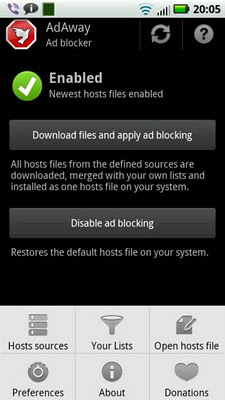
Time to call my favourite hosts file assistant: AdAway. It can feed blocklists from many different places to your hosts file with just a tap on your screen. This keeps most ads out of your phone. Not only from websites, but from your apps too. Good for you, because psychologists agree that too much advertising causes stress and anxiety. Those banner ads are the digital equivalent of LDL, the bad version of cholesterol. Some ads even infect your phone with really bad malware! Need any more reason to block 'em? Ads and LDL should only be consumed in very limited quantities to keep you and your Android healthy.

AdAway can do more than download prefab blocklists. You can build your own, which is a good way to stop popular apps like Dolphin from leaking information that should stay aboard your phone.

If you believe that ad blockers kill all free apps and make the internet go up in smoke, just build a catflap for advertisers that don't chase you like a stalker. Should one of AdAways blacklists block an advertiser that you like, you can easily put it on the whitelist. It's up to you to block the bad banners with bad manners (that's most of 'em) and only let in ads that behave well and don't trace all your online footsteps. Your Android, your choice.

AdAway
AdBlock Plus
AFWall+
avast

DuckDuckGo Doomsday Scenario


tweet this reddit digg this StumbleUpon digg this digg this

Friday, 19 April 2013

"Free" phone calls: what's in it for Facebook?


Talk freely

There are plenty of Android apps to phone for free. Google Voice, Skype, fring, Viber, TextMe, Vonage, and that's just the tip of the iceberg.

All those free apps have one thing in common. They need money to feed their hungry programmers.

Many VoIP apps use their free "VoIP-only" service as a method to advertise their paid offers to call landlines and cell phones. SkypeOut is the leader of the pack, Vonage and fring are among the followers. Apps like Skype and fring display ads to generate income. TextMe has taken mobile advertising a step further: you can earn "free" minutes if you watch advertorials or download "free" apps full of in-app purchasing options of the Farmville farm cash flavour. Viber doesn't seem to have any way to monetise their app yet, but sooner or later they're gonna sell Skype-like services or break their promise to stay free of ads.

And now Facebook enters the VoIP market. They've been testing it in some countries including Australia, Brazil, Canada, and the UK, and they just added USA to the list of places where you can sell your soul over the phone call your Facebook friends for free. It won't be long until Facebook calls go global.

Free, sure. But how do you pay them back? Mark Zuckerberg needs to pay the rent, you know?

What's on your mind?

Facebook is gonna slap ads on your calls for sure, one way or another. And given Facebooks privacy track record, there may be a very dark side to their "free" calls. Because if you don't pay for the product, then you are the product. And Facebook doesn't give you away for free. They want to sell you on the market for as much money as legally possible.

Advertising is the currency in this transaction. And just like there are cheap pesos and expensive Bitcoins, not all ads are created equally. That's why Facebook doesn't want to show you just any random ad. They want to show you targeted ads based on what they believe to be your interests, no matter if you'd rather keep those interests to yourself. Because the more of your personal data goes into the ad, the higher the payout.

To sell you to the highest bidder for the highest price, Facebook needs to know what's on your mind. That's why Facebooks status update textbox literally reads "What's on your mind?" But do you really write everything that's on your mind in there?

When you go out to movies, restaurants, and concerts you let the entire world know what a great time you had. And maybe you annoy all your Facebook friends with all those viral video ads you click on. Or worse. Being born and raised in a country with an atheist majority, I've unfriended quite a few people because they kept posting about how great their god is each and every day. Political propaganda, birthdays, weddings, babies, deaths in the family, it all goes on Facebook. You may even be guilty of clicking the "Share on Facebook" button right here on android underground. And let's not even get started on all those pictures of your cat.

Yes, Facebook has turned the world into ancient Egypt. We worship cats and write on walls about it.

What you don't tell Uncle Facebook

Frequent poster and lurker alike, there is some stuff we'll never share on Facebook. Some things are just not meant for all to see. Are your debts so bad that your car got repossessed? Did the ATM eat your credit card because you defaulted on your payments yet again? Got diagnosed with depression or a sexually transmitted disease? Are you about to divorce?

Your credit score is worth a lot. And some advertisers will pay big money if you can tell them who suffers from embarrassing diseases. Trouble with your employer? About to divorce? Lawyers like to know so they can offer you their legal services, and everybody knows those sharks have business ethics on par with Haliburton and Berlusconi's media empire. No matter what secrets you may have, they're a business opportunity for someone out there.

Facebook wants to know. Everything. They just need a way to make you tell it all to them.

We have ways to make you talk

There's Facebook Chat to talk in private, but not many people use it because MSN and WhatsApp have most of the market. Google mines your Gmail to pick ads, but Facebook didn't manage to copy that trick. Sure, every Facebook member has a free Facebook email address, but most people don't even know they have one. And for obvious reasons websites about collection agencies, gonorrhea, or drug addiction don't have Facebooks "Like" button on them.

Enter Plan B. or is it Plan C or D already?

By letting you call your friends for free through Facebooks servers, they have a chance to listen in on things that you would never write on your Facebook wall. Just think of the advertising opportunities!

Calling your doctor because the wild night with the girl that looked better with every beer left you with a burning itch "down there?" Asking your parents for money because the supermarket refused your credit card? Talking with your sister about your upcoming divorce? If you do it through Facebook they can send it all through their speech recognition software and extract some extremely valuable keywords from your extremely private phone calls. If their programmers are really smart (and they are!), their code could even read your mood from the way you talk. Drunk when you're calling your ex? Facebook will know.

So if you call through Facebook Messenger and you suddenly see ads for legal counsel, Alcoholic Anonymous, payday loans, and cheap Zoloft in neutral packaging, there's no need to wonder how Facebook knows. You told your friends, therefore you told Facebook. "Like" it or not.

Why waterboard people if there are much more effective ways to make 'em talk? A free VoIP app can be a goldmine if you're good at data mining. Remember the old saying that your grandma taught you? "There's no such thing as a free lunch unless you are the lunch."


tweet this reddit digg this StumbleUpon digg this digg this

Friday, 15 March 2013

Google boots ad blockers from Play Store: is it because of Adblock Plus?


Google finds an excuse to block ad blockers

Google lives from advertising, so for obvious reasons they're not happy with apps that block ads. But Google also tries to maintain an image of neutrality, and keeping ad blocking apps out of its Play Store doesn't go well with maintaining that image.

That used to be no problem, because the popular ad blockers AdFree and AdAway require root access to write their blocklists to the hosts file in the Android system folders. Because ad blocking required a rooted phone or tablet, over 95% of all Android devices didn't block any ads.

But then Adblock Plus entered the scene. This app is not as good as AdFree and AdAway, but is has one feature that poses a major threat to Googles business model: Adblock Plus doesn't need root.

Adblock Plus made ad blocking accessible to the masses, so Google had to think of something to keep the pennies flowing in.

And Google found something. Their small print for Play Store publishers says something about not interfering with the functions of third party services:

"You agree that you will not engage in any activity with the Market, including the development or distribution of Products, that interferes with, disrupts, damages, or accesses in an unauthorized manner the devices, servers, networks, or other properties or services of any third party including, but not limited to, Android users, Google or any mobile network operator."

It looks like Google sees banner farms as third party services that deserve free reign on your Android phone or tablet, so they kicked the three most popular ad blocking apps out of their app store.

Of course all the tech sites on the web screamed bloody murder. By removing ad blockers from the Play Store Google did an excellent job at advertising their existence. I'm sure that more people are blocking Googles advertisements now.

Who needs Google to block ads?

Google didn't kick out all ad blockers yet. ROM Toolbox has a built-in ad blocker, and as I write this it's still alive and kicking in the Google Play Store. But its maker said he'll have to pull the ad block feature out. Not that it really matters, because there's no shortage of good ad blockers. They may be gone from the Play Store, but you can easily get 'em elsewhere.

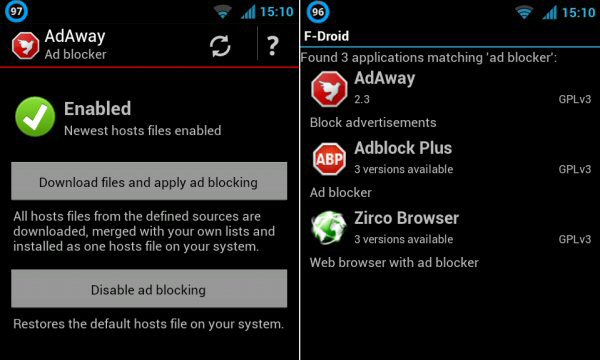
AdAway is my favourite ad blocker. Gone from the Play Store, but ready for grabs on (oh, the irony!) code.google.com. And if you want to get it the easy way and be notified of updates, just download it from open source Android app store F-Droid.

AdFree is a good ad killer too. The AdFree site still links to the dead Google Play Store page, but I guess that will be fixed soon. For now you can download AdFree from (yes, really) docs.google.com.

Adblock Plus is the Android flavour of the famous Firefox and Chrome plugin. You can grab it directly from their own site. It's not as good as AdAway or AdFree, but Adblock Plus doesn't require root access so it works for everyone.

Lucky Patcher can strip the code that adds Google ads out of your apps. It doesn't remove ads from other banner farms, and it doesn't clean out ads from websites, but it lets you yank the ads from the biggest ad pusher out of your apps without altering your hosts file (AdAway and AdFree) or running a local proxy server (AdBlock Plus) on your Android device.

Note: because Android requires that apps are signed, switching from a Play Store version to an F-Droid or sideloaded version of your ad blocker can pop up signature erro messages. If that happens, you need to uninstall the Play Store version before you can install another version of the same app with a different signature. If you don't want to lose your settings and custom block lists, back up the app settings with a backup app like Titanium (the free version will do), and restore the settings (only the settings, not the app) after you've switched to the non-Play Store version.

Block those ads!

Whether ad blockers are a gift from heaven or the root of all that's evil is topic of a never-ending debate. My take: websites and app developers have the right to try to show ads on your screen, but you have no obligation to let those ads in unless you explicitly agreed to. Most apps in the Play Store don't tell you that they have ads or where they come from, and adware is usually accompanied by screenshots that don't show any ads, so you don't have to allow their ads into your Android. Come to think of it, most apps in the Google Play Store don't come with any terms of use at all, so feel free to use 'em any way you like and block whatever you want to block.

Does blocking ads kill free apps and sites? Probably not. The vast majority of app developers don't make any money from their ads. But even if ad blocking kills free stuff that's not the end of the world. It just means that the market has spoken and advertising is no longer a viable way to monetize apps and websites. And if that business model reaches the end of its life then those that depend on it will have to think of a new business model. Of course advertisers can keep their business model alive by making their ads smaller, less flashy, and reducing the frequency with which they appear in apps and websites. The more-is-better approach to advertising is the reason why all those ad blockers were invented in the first place.

Do you see any ads on this site? If you don't, your ad blocker is doing its job. Congrats!

AdAway review on android underground
AdAway on code.google.com
AdAway on F-Droid

AdFree at bigtincan.com
AdFree from Google Docs (direct app download link)

Adblock Plus

Lucky Patcher


tweet this reddit digg this StumbleUpon digg this digg this

Friday, 21 December 2012

Android Underground goes twitter


There are many ways to keep up to date with android underground.

You can come to this site once in a while, or you can get updates mailed to your inbox or sent to your RSS feed reader. And you can check the mix of 18 (and counting) Android blogs at androidblogmix.site666.info, because lots of sites know more than one.

Or you can follow android underground on Twitter. If you hurry you can be the first follower and be the first to get tweets about how to make sure you own your phone instead of the other way 'round.
tweet this reddit digg this StumbleUpon digg this digg this

Saturday, 1 December 2012

Google Calendar needs tasks and more integration with the rest of Android


You can make Android apps talk with each other through the share menu, but that's not always enough. The calendar app that ships with Android is a prime example of something that needs more integration with the rest of the stock apps.

There are plenty of task managers out there in the Google Play Store to remind you to buy milk and beer, clean the bathroom, buy a bag of weed for your grandma who was young in the sixties, and to finish the paper that you should have published six months ago.

Many of those task apps and to-do services tap into Google Tasks.

Google Tasks gets really intimate with Google Calendar in your web browser, so why do they behave like strangers on Android?

Back when I used an old Nokia with Symbian, the calendar app included tasks, birthdays, and just about everything else to which you could stick a date. Google should have a good look at this old calendar app, and learn from it.

There are more opportunities for integration. My contacts list stores birthdays, weddings, and other anniversaries. So why does the stock calendar app doesn't know anything about the dates stored in my stock contacts app?

Some phones are tightly integrated with Facebook. Wouldn't it be nice if you could import the birthdays of your Facebook contacts into your Google calendar with a single tap on a button? Or does Google deliberately leave this feature out to switch to Google+?

Speaking of Google+, now here's an example of something that should not get mixed in with everything. I don't want to sign up with Google+ just so I can tell you what I think about your app in the Google Play Store.

As with all things Android, integration is good, but it should always be optional and never required.
tweet this reddit digg this StumbleUpon digg this digg this

Wednesday, 28 November 2012

Forcing Google+ for Google Play Store feedback is a stupid idea


Google+ wants you, even if you don't want Google+

Tried to rate an app or leave a comment on an Android app in the Google Play Store lately? Then you must have seen the popup telling you that Play Store feedback now requires a Google+ account, and that your real name and your picture will be posted right next to your comment.

Don't want a Google+ account? Too bad, but that means you can no longer leave any feedback on any app on the Google Play Store.

You may be tempted to create a fake Google+ account for Play Store feedback, but Google won't have it. If the Googlebot detects a fantasy name, it threatens to kill your account.

Honesty requires anonymity

Want to give your honest opinion about apps like Sexy Hot Live Wallpaper, RememberYourPills, Angry Birds, GayDateDroid, or the self-help app of Alcoholics Anonymous? Still want to do so if your real name is forcibly stuck to it, out in the open for anyone to read? And your picture too?

Psychologists and market researchers know that honest opinions require anonymity. That's why surveys always tell you in clear big letters that your name or any personal info will NOT be linked to your feedback. There's a reason why you can vote for a new government without telling anyone who you voted for.

What if you have a job in the US Army and you'd like to share your honest opinion about one of the many Wikileaks apps?

By requiring a Google+ account to leave Play Store feedback Google is asking for a flood of fake Google+ accounts. By posting the names and pictures of minors next to their Angry Birds ratings Google will break the laws of many countries. And by removing anonymity, the Play Store ratings will be even more unreliable than they already are. If your Play Store comments can be linked back to your name by anyone on the planet, many people will no longer voice dissenting views off the beaten track. Instead, they'll give socially acceptable, politically correct, middle of the road opinions. Or they keep their mouths and keyboards shut and you won't see their opinions at all.

What was Google thinking? Were they thinking at all? Google should do the right thing and drop their Google+ requirement. Linking your Google+ account to your Play Store ratings should be optional, not mandatory. Isn't the whole idea about Android that the choice is yours, not theirs?

Really, Google, there are better ways to increase your Google+ user base to try pass Facebook. There's no need to abuse Android for that. If Google doesn't pull the Google+ requirement from the Play Store then Anonymous should have a party on the servers of Google+.


tweet this reddit digg this StumbleUpon digg this digg this

Wednesday, 14 November 2012

Android chat app imo: a facelift gone bad


Update: imo is dead!

One app to rule them all...

Multi-network instant messenger imo is one of my favourite weapons against chat network fragmentation. Instead of running a bunch of apps that only talk to one network each, imo lets me squeeze most of 'em into a single app. Only WhatsApp and Viber play difficult.

And then imo released an extreme makeover of their app. It looks completely different from the previous version. According to the description on its Google Play Store page the new imo has a "beautiful new streamlined design."

They're wrong. The new design is neither streamlined nor beautiful. They managed to do just about everything wrong that they could do wrong.

Whiteout

First thing you see when you launch an app is its icon. The new imo icon is a big white rectangle with rounded corners (Apple, go sue 'em!) which looks horrible on most homescreen backgrounds, except for the 0.000001% who wallpapered their homescreens to look like a field of snow.

When you get into the app you'll notice that the mostly white user interface is even whiter than it used to be. A bright white background works for paper and eBook readers, but it's a really bad idea for apps that run on backlit displays (read: most Android phones and tablets). If your Android gadget has an AMOLED screen things get even worse, because all those bright white pixels suck your battery dry.

This is where imo could have improved their design. A simple button in the settings to switch between a light and a dark theme would do the job. After all, Android is all about customising everything until it works and looks they way you want it. If I wanted one-size-fits-all designs I would have bought that other phone. You know, the one with a patent on rounded rectangles.

Tabs and taps

The old imo had a very simple and effective tab design. A tab for your contacts, a tab for your chats, and another tab for your accounts. It worked so well that you'd even forgive them for ignoring the menu button and the action bar overflow menu.

The new imo lost the tab with your chats. Your open chats now sit on top of your contacts, making the long list even longer. It also makes the contacts you're talking with appear twice in the list, which makes the clutter even worse. Swiping through your open chat windows? That's something of the past.

The accounts tab is something of the past too. It turned into a window that you can get into by swiping to a new tab that's full of things that would fit better under a menu button or overflow menu. Signing in and out of your accounts now takes an extra tap compared to the old version.

Heads off

The old imo had the annoying habit of putting all your Facebook contacts in their own contact group. Taking them out and moving them around was pointless, because next time you logged into imo they automatically reappeared in the Facebook group.

That problem got fixed with a sledgehammer. The new imo won't let you group your contacts into lists at all. That's not just a cosmetic issue, it gets in the way of functionality too. If you enable Facebook chat in imo your contacts tab gets cluttered with hundreds of Facebook friends that you never chat with, which makes it hard to find the contacts that really matter. There used to be a time when Motorola and others would add a "helpful" option to auto-insert your Facebook friends into your Android phone book. One look at the giant monster killer list of contacts was enough for most people to switch that option off.

To make up for the long list, imo added a cure that's worse than the disease. There's a contact search bar on the bottom of the tab that pops up whenever you scroll around. Most of the time it just gets in the way, it's useless clutter on phones with a search button, and for phones without real buttons the search option would be more at home in the action bar.

Next new "feature:" your contacts lost their head. Avatars on chat networks, forums, social networks, and the contact list of your phone are sqare pictures. For some reason imo decided to make all those square pictures round by cutting the corners with a guillotine. If your friends faces are not exactly in the middle of the image imo bluntly chops off their heads.

Power gone

Good old imo came with two very useful switches. One button to switch autostart on or off, because not everyone wants all their chat apps to launch automatically when they boot their phone. The other button was to let you choose whether imo should automatically sign you into your accounts upon app launch, or wait for you to tap a button to sign in.

The new imo automatically starts on boot, and there's no off switch. The only way to stop it from autostarting is by taming imo with an autostart manager.

You can't let imo auto-sign you into your accounts either. Now you always have to flick the switch yourself, each and everytime you fire up the app.

Taking your startup choices away is a really bad decision. Why does imo need to copy the bad habits of WhatsApp and Viber?

The new fresh imo may be very white, but it's not green at all. The battery consumption went up since the update, which is something that an app meant to run for hours on end should avoid at all costs.

Finally, imo inherited an annoyance introduced in a previous update. Its status bar icon is always grey, no matter if imo is online or not. Why not offer a choice of green when connected, red when incommunicado, orange when connected to some of your networks but not all?

Why keep imo?

With so many "improvements" that don't improve anything, you may be tempted to look for another chat app. According to the Google Play Store comments you're not alone. The new dumbed down user interface annoys lots of people. Not because it's new, but because it kills function.

Unfortunately it's really hard to escape from imo. There are two reasons for that. First, imo lets you sign into multiple accounts on the same chat network, which most instant messenger apps won't let you do. Second, imo has Skype chat, which was yanked out of competing apps like Nimbuzz and fring.

So I keep imo on my phone. Not the crippled new version 3.0.0, but the much better v2.7.5 that I backed up before updating. I'm gonna keep the old version until imo cleans up the mess.

the latest imo (Google Play Store)
imo v2.7.5 (Google search, watch out what you download)

Update: imo is dead!

tweet this reddit digg this StumbleUpon digg this digg this

Saturday, 10 November 2012

Official Facebook app sucks your battery dry when it sleeps, use Friendcaster instead


Task killers are not always useless

Task killers are useless on Android phones and tablets, right? Because Android is so good at managing memory that you should just leave inactive apps sit quietly in the background. You're battery doesn't care about what's cached in RAM.

Except that not all apps keep quiet in the background. Apps like Shazam and Google Maps keep going online when you're not using them, even though you thought that they were doing nothing except being cached for future use.

And then there's Facebook. That's the most famous misbehaving battery killing app out there.

Facebook, the app that never sleeps

Want to see what Facebook does behind your back? Use Facebook for a while, then leave the app. Now do something else, go to work, fall asleep, whatever, but don't touch the Facebook icon on your homescreen. Of course you don't have any Facebook widgets running, you switched off Facebook notifications, you don't let anything sync by itself, etc. It doesn't matter. Even if you switch all its background activity off, Facebook stays awake and goes online to phone home for no good reason at all. Facebook empties your wallet if you're travelling abroad and pay a fortune for data roaming.

And there's more bad news. When Facebook sits in the background "doing nothing" it prevents your phone from entering deep sleep. And by not letting your phone sleep, your battery burns more fuel than a space shuttle.


Kill Facebook before it kills your battery

Check out the screenshots. When my phone is in deep sleep it eats about 0.5% of battery juice per hour. This is with WiFi on so WhatsApp and Viber can listen to incoming C2DMs (cloud to device messages). But to keep the burn rate down to half of a percent I have to make absolutely sure that Facebook is gone out of memory and stays out of memory.

Because when Facebook is "cached in the background doing nothing" the battery consumption goes up four times (!) to 2% per hour. That's the difference between over a week of standby time (no Facebook) or just a day or two.

If you really must use the Facebook app but you don't want your battery to burn electrons like an SUV going uphill on a gravel path, make sure that Facebook stops after you're done with it.

You can kill it with the stock Android app manager, but this is a tedious job. Killing Facebook requires automation. Facebook is the living evidence that sometimes task killers make sense.

Of course there's no point killing Facebook if it keeps relaunching itself. Plug the charger into your phone and Facebook will start up by itself. It stays launched when you unplug the power cable. Connect your phone to a computer by USB cable? Same thing. Any connectivity change (WiFi on, WiFi off, WiFi-to-data or vice versa) makes Facebook autorun. Use an app like Gemini App Manager to switch all Facebooks autostart triggers off.

But there's a better way. Just remove the official Facebook app from your phone. It doesn't just eat data and drink battery juice in its sleep, it's a terrible app for many other reasons too.

Facebook alternatives (no, not Google+)

You can Facebook in your web browser. Or you can use Friendcaster, an alternative Facebook client that's way better than Facebooks own poor excuse for an app. It's a lot faster than Facebooks own app. And there's more: Friendcaster can handle multiple Facebook accounts. That's really useful on a shared Android tablet, or if you have a personal Facebook account and another one for your business, or if you have multiple personalities.

Friendcaster has a truckload of autostart triggers of its own (switch 'em off if you like), but if you uncheck "alert for Facebook notifications" in its settings menu then Friendcaster won't go online behind your back. Better yet, Friendcaster won't keep your phone awake all the time like the official Facebook app does. Look at your battery stats to see the difference.

Friendcaster


tweet this reddit digg this StumbleUpon digg this digg this